








Try it free

Hear your own words in a Studio voice

Type a line, cast a voice, and direct the read. No signup, no card.

Voice

Speaks 78 languages including English, Spanish, Hindi, Arabic, French

100 left
Fine-tune speed & volume
Normal
Normal
Create your own — free Your script and voice come with you. No card needed.

Hear the finished work

Hear the result. Reuse the complete creative recipe.

Play the output, inspect the exact script and direction, then open a ready-made draft in Studio.

1 Finished output 2 Exact script 3 Creative direction 4 Editable Studio draft
Micro-learning

Make the learner do the thinking

Reflective insight, crisp actions, empowering close.

G
Unmixr AI voice
0:23
Garion · energizing and humanNo credits to play
View script and creative direction
A lesson can feel easy and still leave almost nothing behind.

The shift happens when the learner has to retrieve the idea, not just recognize it.

So after one important concept, pause. Hide the answer. Ask: What can I explain in my own words?

That small moment of effort is not a break in the learning. It is the learning.

Direction: Speak as an exceptional learning facilitator sharing a useful insight with one colleague. Begin with calm recognition and a hint of concern, then brighten as the solution becomes clear. Give “retrieve the idea” precise emphasis without sounding academic. Make “pause. Hide the answer. Ask” three crisp, energizing beats with natural micro-pauses. Ask the question with genuine curiosity, then slow slightly and land the final four words with warm conviction. Use connected phrasing, subtle pitch movement, relaxed breaths, and believable human timing. Never sound like an announcer, a textbook, or a generic corporate narrator.

Open this demo →
Manager coaching

Turn vague feedback into a useful next step

Warm authority with believable conversational contrast.

A
Unmixr AI voice
0:30
Asha · credible and expressiveNo credits to play
View script and creative direction
'Be more proactive' sounds like feedback. But it leaves the other person guessing.

Try this instead: name the moment, describe what you observed, and explain why it mattered.

In yesterday's client call, you waited until the end to raise the delivery risk. Bring it in when you first see it, so we can solve it together.

Clear feedback does not make the conversation colder. It makes the next step possible.

Direction: Deliver this like a trusted leadership coach in a small workshop, not a polished keynote. Quote “Be more proactive” with a familiar, knowing tone, then let “guessing” land. Shift into practical confidence for the three-part method. Perform the client-call example as supportive real feedback: direct, specific, and clearly on the person's side. Add a subtle lift to “solve it together,” then finish more slowly with quiet conviction. Keep the read alive with natural breaths, small changes in pace, expressive but restrained pitch, and genuine conversational warmth. Avoid trainer voice, sing-song cadence, over-enunciation, and motivational hype.

Open this demo →
Compliance scenario

The message that creates false urgency

Controlled urgency that resolves into calm agency.

A
Unmixr AI voice
0:28
Aveline · clear and reassuringNo credits to play
View script and creative direction
It is 4:47 on Friday. A message from the CFO says a payment must go out now, and the usual approval can wait.

The name is right. The logo is right. The urgency is the warning.

Before you reply, stop. Check the sender's full address. Verify the request through a channel you already trust.

Security is not about moving slowly. It is about knowing when ten careful seconds can protect the whole team.

Direction: Perform this as premium scenario-based compliance learning. Start inside the Friday-afternoon moment: focused, close, and slightly hurried, but never theatrical. Let “the usual approval can wait” carry a quiet red flag. Give the three “right” statements tight parallel rhythm, then lower the pace and firmly emphasize “urgency is the warning.” Make “Before you reply, stop” the decisive turn. Keep the verification steps practical and memorable, then resolve the tension and land “protect the whole team” with reassuring collective purpose. Use realistic breathing, controlled energy, varied sentence shape, and natural micro-pauses. Avoid alarmist drama, compliance monotone, news cadence, or artificial suspense.

Open this demo →
eLearning & training

Upload the deck. Publish the course.

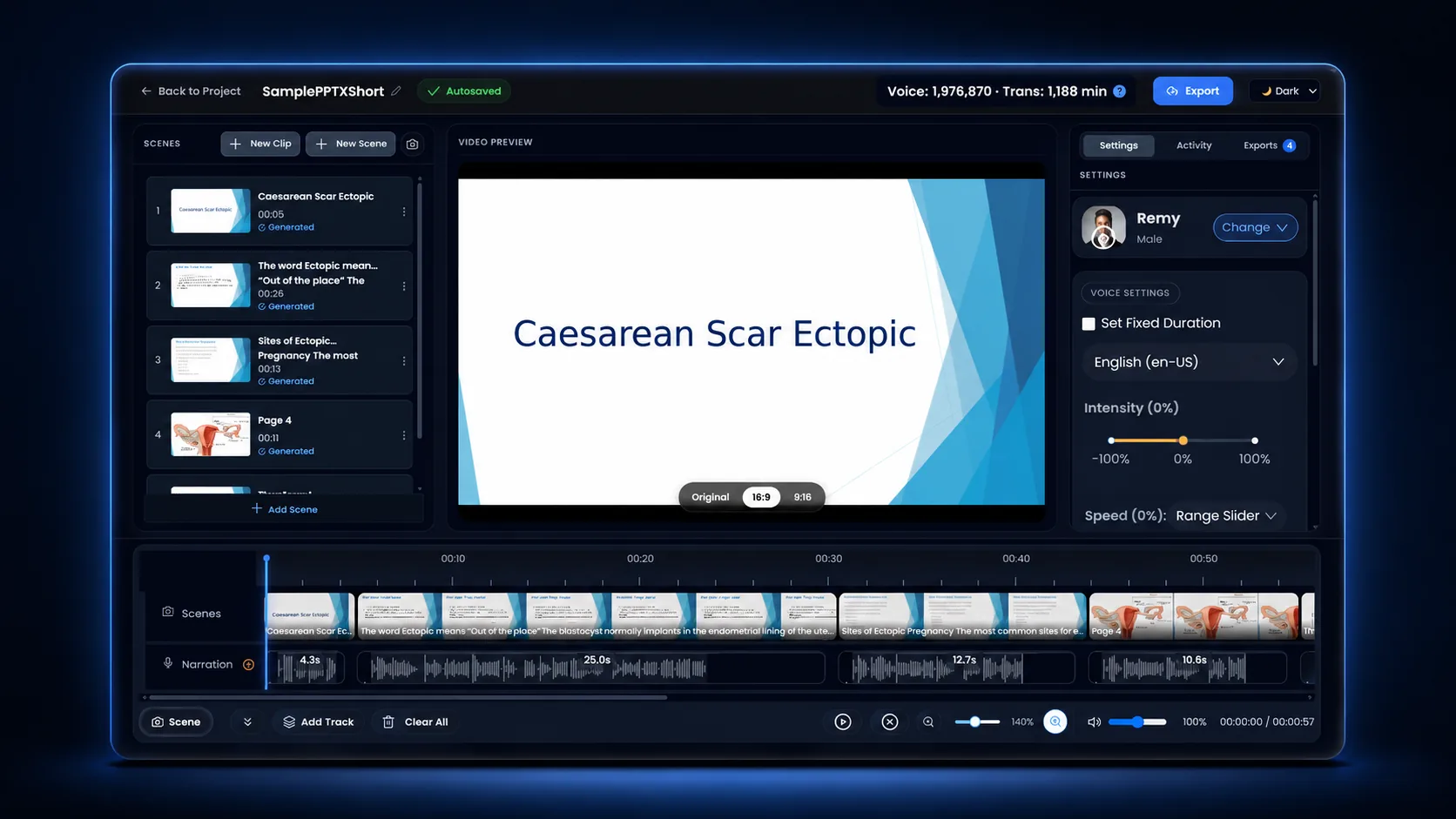
A real clinical training deck, dropped into Unmixr and published as a narrated video lesson — no recording booth, no editing timeline, no re-record when the slides change.

Input PowerPoint deck 4 of 36 slides
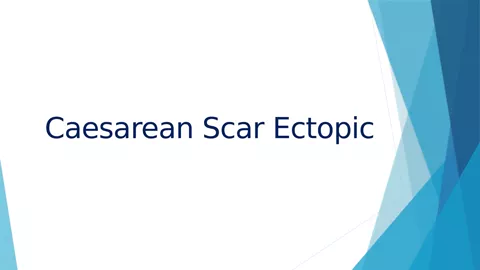
Title slide of the Caesarean Scar Ectopic training deck
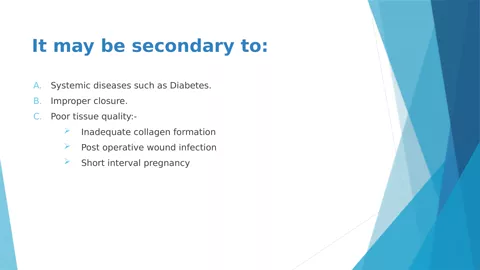
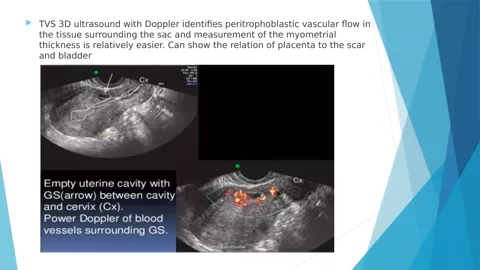
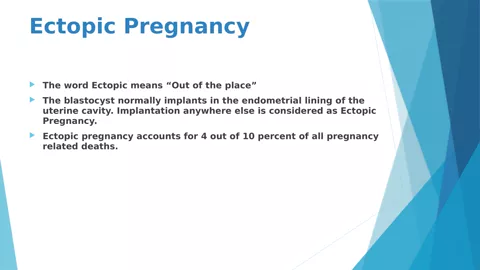
Definition slide from the training deck Causes slide from the training deck Ultrasound imaging slide from the training deck
Caesarean_Scar_Ectopic_Training.pptx 1.7 MB · the untouched source file
Download the deck
Output Narrated training video MP4 · 720p
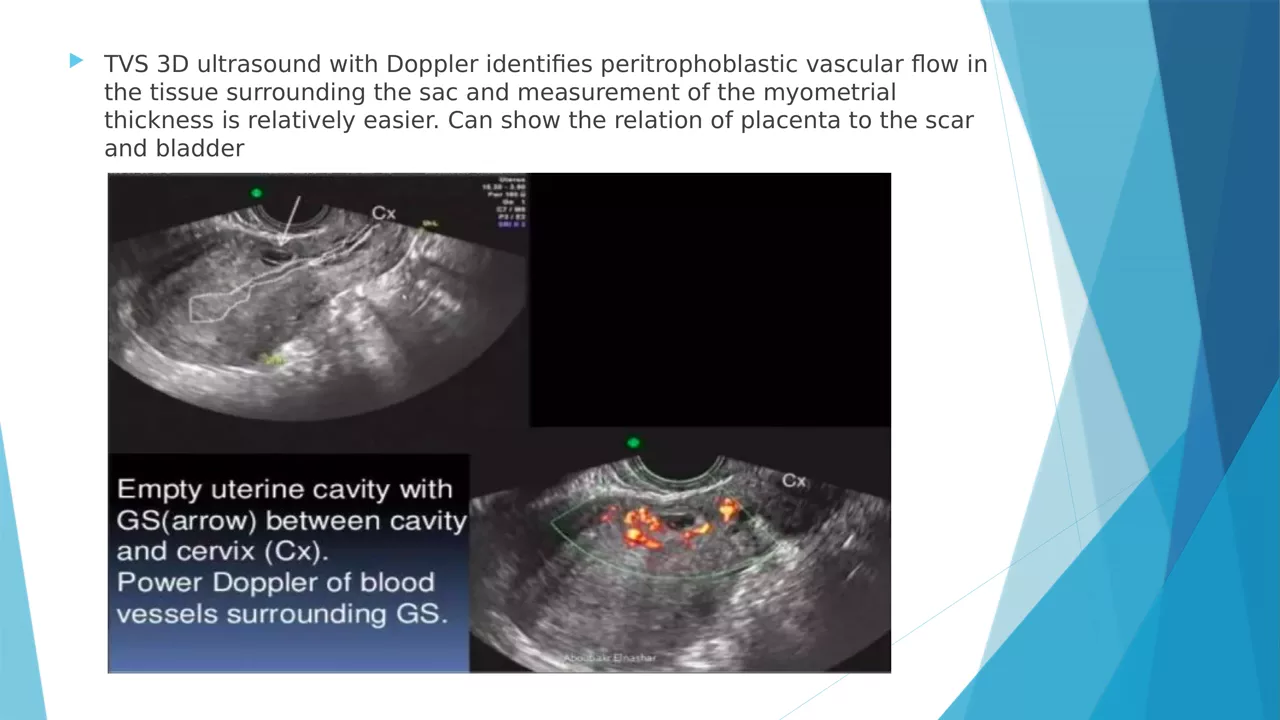
Frame from the narrated Caesarean Scar Ectopic training video showing an ultrasound imaging slide
17:53 AI narration
Narrated end to end with an Unmixr AI voice Every line stayed editable before export

Start from slides PPTXPPTPDF

Or from a document PDFDOCXEPUBTXTMarkdownHTML

1 Your source becomes the script

Upload a deck or a document — Unmixr reads it and drafts narration section by section. Rewrite any line before a word is voiced.

2 Pick the teaching voice

A voice for every use case, with pitch, speed, and emphasis you can tune per sentence or per term.

3 Captions and transcript

SRT and VTT subtitles plus a full transcript come out of the same project — ready for your LMS.

4 Localize the course

Dub the finished lesson into 100+ languages without rebuilding a single slide.

Dubbing examples

Hear the same video, dubbed into every language.

One source clip, one speaker, dubbed with Unmixr. Switch languages while it plays and judge the timing, tone, and pronunciation for yourself.

app.unmixr.com/dubbing
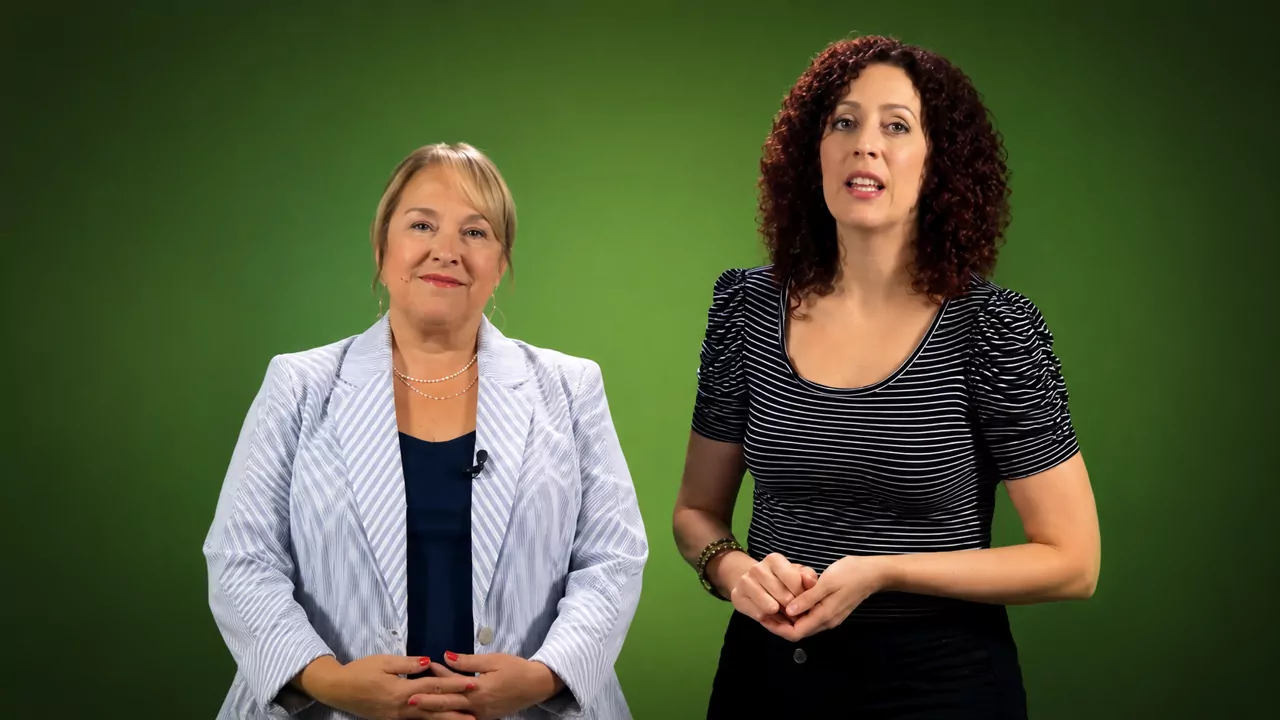
Two presenters on camera in the Unmixr dubbing example clip English
Hear it in:
Transcription examples

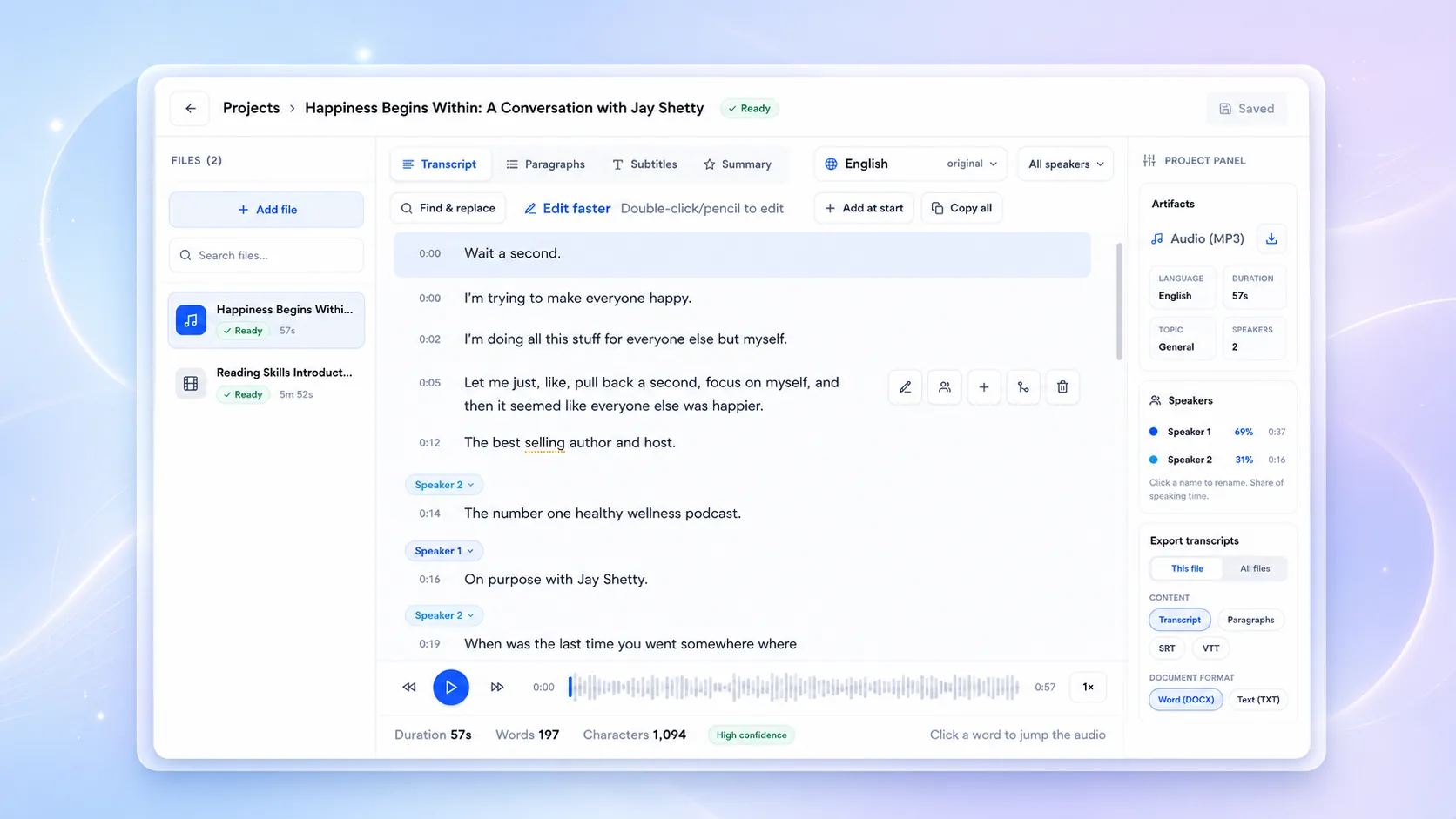
Press play. The transcript keeps up.

Five real recordings, five different jobs. Every line is anchored to the second it was spoken — click a line to jump the audio there, and switch the export format to see exactly what the downloaded file contains.

100+ languages, transcribed in the language they were spoken
Up to 99% accuracy on clear recordings, editable line by line
Per line timestamps and speaker labels on every segment
4 formats SRT, WebVTT, TXT, and DOCX from one pass
Podcast production

An episode intro becomes show notes in one pass.

Timestamped text is what turns an episode into chapters, quotable clips, and a page search engines can actually read.

signal-and-story-ep42.wav Language English (US) Speakers 1 detected Segments 3 Words 26
0:00 / 0:12
Export as DOCX carries the same text and speakers.
1
00:00:00,380 --> 00:00:02,520
You're listening to Signal and Story,

2
00:00:02,740 --> 00:00:06,300
the show where ambitious ideas become practical moves.

3
00:00:06,760 --> 00:00:11,280
Today, we're decoding the one habit quietly changing how great teams work.
Transcription in 100+ languages

Transcribed in the language it was spoken.

The same script, recorded in six languages and transcribed in each one — not translated into English first. Right-to-left scripts keep their direction, and every segment keeps its own timestamp.

English 3 segments · 0:10

Meet your audience where they are.

Unmixr turns one idea into a natural voice experience for every market,

language, and moment.

Spanish 3 segments · 0:10

Conecta con tu audiencia dondequiera que esté.

Unmixr transforma una idea en una experiencia de voz natural para cada mercado,

idioma y momento.

French 3 segments · 0:10

Rejoignez votre public là où il se trouve.

Unmixr transforme une idée en une expérience vocale naturelle, pour chaque marché,

chaque langue et chaque moment.

Hindi 3 segments · 0:10

अपने दर्शकों से उनकी अपनी भाषा में जुड़िए।

Unmixr एक विचार को हर बाज़ार,

हर भाषा और हर अवसर के लिए स्वाभाविक आवाज़ में बदल देता है।

Arabic 2 segments · 0:10

تواصل مع جمهورك أينما كان.

يحوّل Unmixr فكرتك إلى تجربة صوتية طبيعية تناسب كل سوق، وكل لغة، وكل لحظة.

Japanese 3 segments · 0:12

世界中のオーディエンスに、その人の言葉で届けましょう。

Unmixr なら、ひとつのアイデアを、あらゆる市場、

言語、瞬間に合う自然な音声体験へ変えられます。

Your recording comes back the same way: every line timestamped, every speaker labeled, and every export generated from the transcript you approved.

One connected AI content workflow

One project. Every workflow.

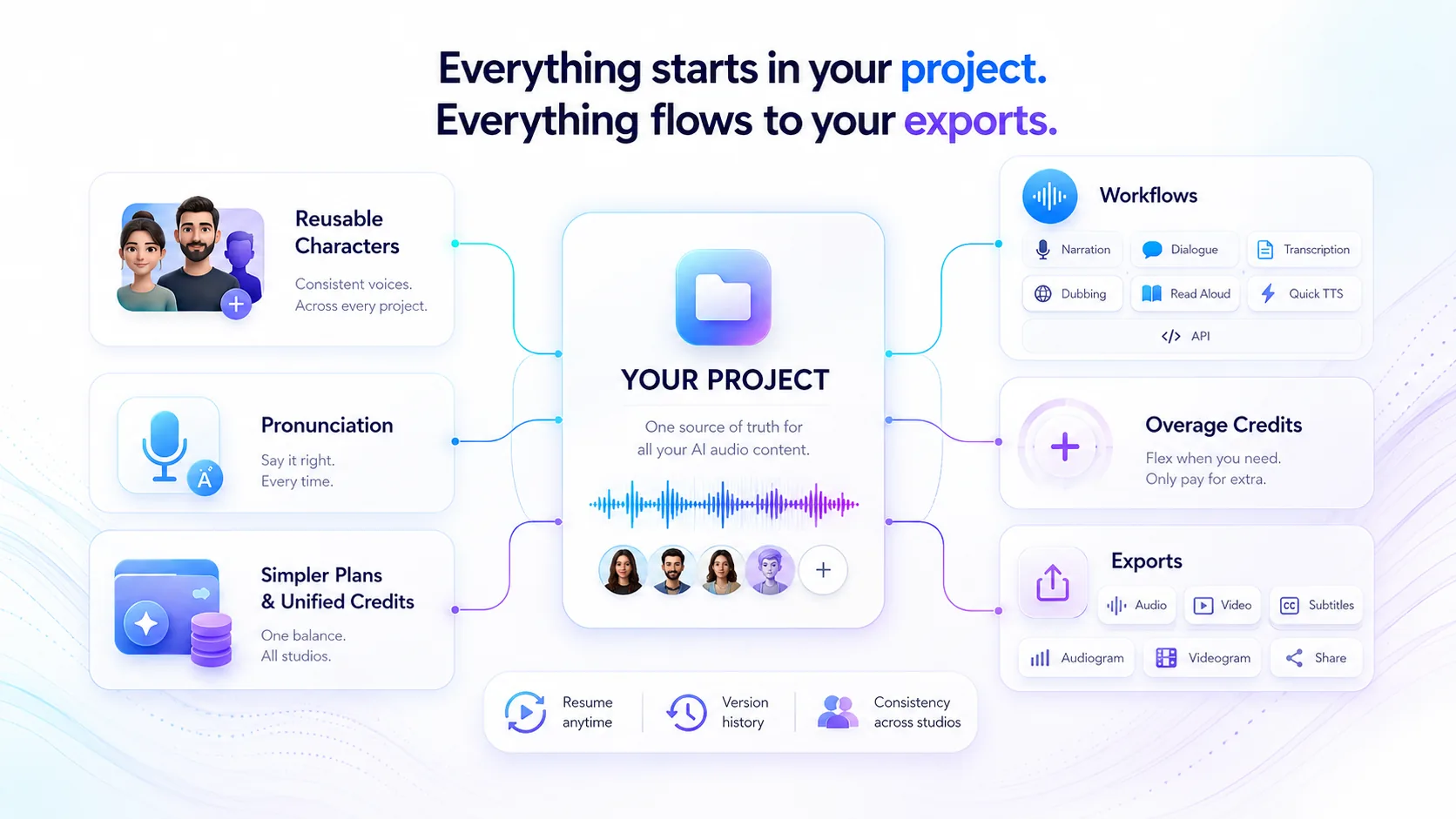
Set your characters, voices, and pronunciation once, then run the same project through AI narration, dialogue, transcription, dubbing, read-aloud, Quick Voiceover, and API workflows. Export audio, video, subtitles, audiograms, videograms, or shareable links from a single source of truth.

Unmixr workflow diagram showing reusable characters, pronunciation, and unified credits feeding one project; the project connects to narration, dialogue, transcription, dubbing, read-aloud, Quick Voiceover, and API workflows, then exports audio, video, subtitles, audiograms, videograms, and shareable content.
One project keeps characters, pronunciation, credits, versions, studios, and exports connected. Tap the diagram to view it full size.

Powerful Studios. One Workflow.

Create voiceovers, scenes, dubbing, transcripts, and read-aloud content in one seamless workspace. Explore each studio below.

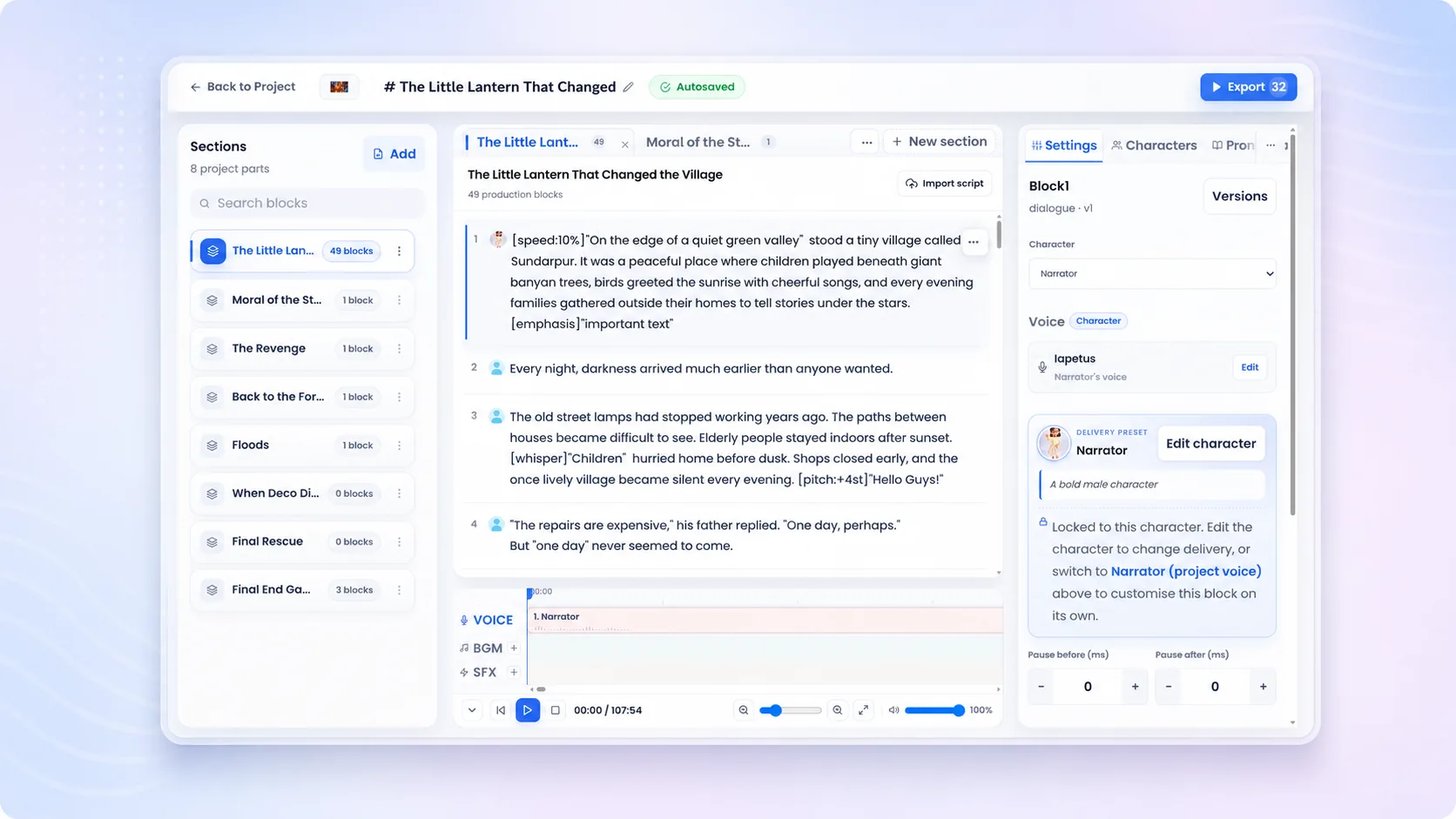
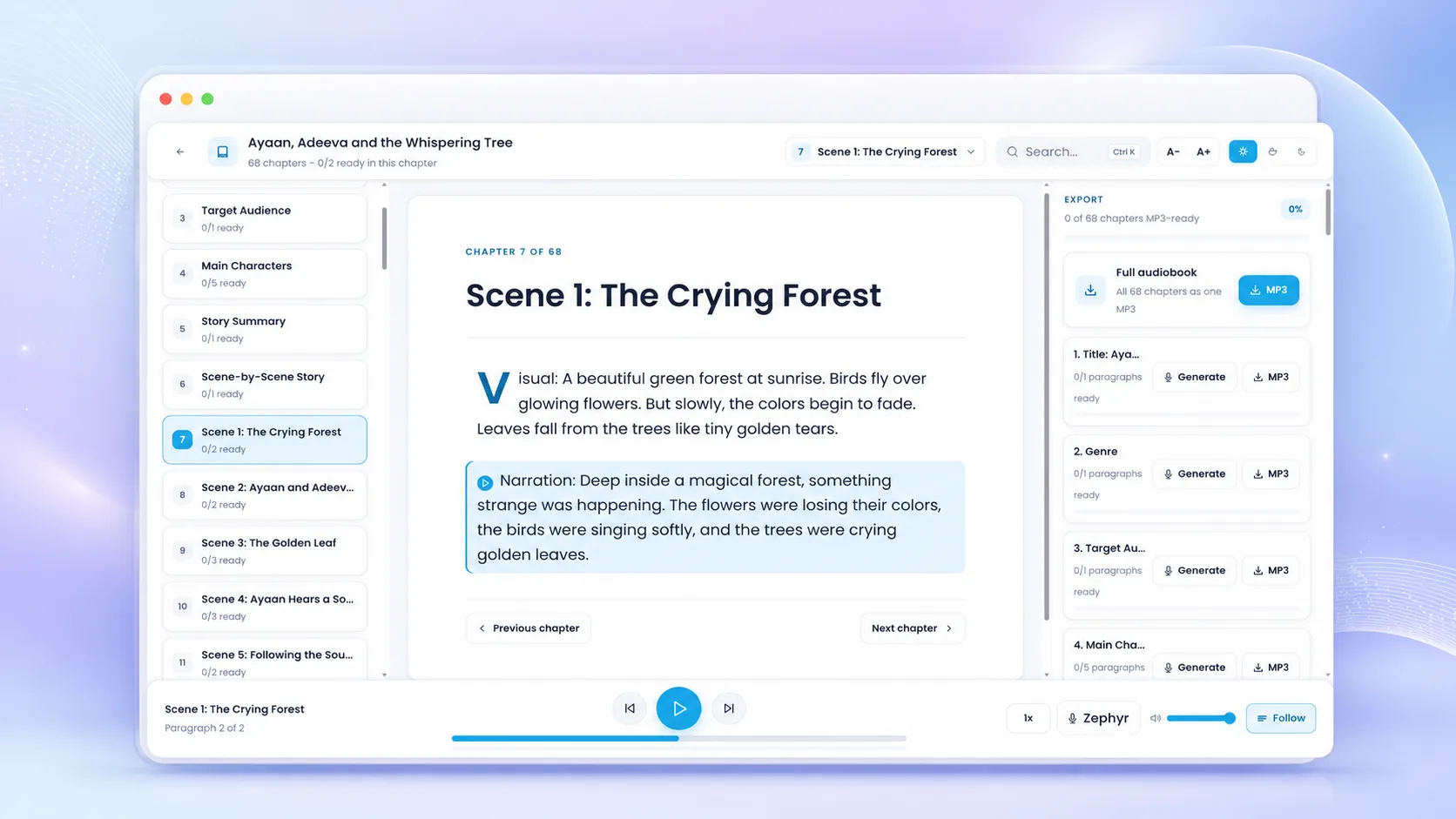
Narration Studio
library_books AudiobooksLong-form stories made simple. layers Chapter OrganizationStructure your content with clarity. person Voice ConsistencyOne voice. Every chapter. folder Project-Based WorkflowManage, iterate, and export with ease.
Unmixr workflow solutions

Everything L&D teams need to publish narrated training content faster

Start with a goal, and Unmixr guides you to the right workflow: scripts, slides, and videos become training voiceovers, narrated videos, subtitles, transcripts, and dubbing — publish-ready, without moving between scattered tools.

Course Narration

Turn scripts into consistent narration for lessons, explainers, tutorials, and course modules.

Plan Course Narration

Subtitles & Transcripts

Transcribe training videos, course recordings, interviews, and lessons into captions and reusable text.

Try Transcription

Course Localization

Create dubbed and subtitled versions of courses and training videos without a full agency workflow.

Explore Localization

Training Video Maker

Combine scripts, slides, scenes, voices, subtitles, and localized audio into training-ready video assets.

Build Training Videos
Freshly produced voice demos

Don't read our claims. Hear the difference.

Compare multilingual speech, a consent-first voice clone, eLearning and training scenarios, and real production styles directed for the job. Every demo below is generated audio with the script visible beside it—headphones recommended.

  • Original generated audio
  • Scripts included
  • No sign-up to listen
Multilingual AI voices

One voice. Every language. Same narrator.

Hear Sia carry the same warm, assured delivery from English to Spanish, French, Hindi, Arabic, and Japanese—six of the 100+ languages available. Each sample was generated by Unmixr from carefully localized copy.

100+ languages

Can AI text to speech keep one narrator consistent across languages? Yes—multilingual voice models can preserve a recognizable vocal character while speaking localized scripts.

Sia Localized narration
Same voice

English

Meet your audience where they are. Unmixr turns one idea into a natural voice experience for every market, language, and moment.

Unmixr AI Voice
0:10
Sia Localized narration
Same voice

Spanish

Conecta con tu audiencia dondequiera que esté. Unmixr transforma una idea en una experiencia de voz natural para cada mercado, idioma y momento.

Unmixr AI Voice
0:10
Sia Localized narration
Same voice

French

Rejoignez votre public là où il se trouve. Unmixr transforme une idée en une expérience vocale naturelle, pour chaque marché, chaque langue et chaque moment.

Unmixr AI Voice
0:10
Sia Localized narration
Same voice

Hindi

अपने दर्शकों से उनकी अपनी भाषा में जुड़िए। Unmixr एक विचार को हर बाज़ार, हर भाषा और हर अवसर के लिए स्वाभाविक आवाज़ में बदल देता है।

Unmixr AI Voice
0:10
Sia Localized narration
Same voice

Arabic

تواصل مع جمهورك أينما كان. يحوّل Unmixr فكرتك إلى تجربة صوتية طبيعية تناسب كل سوق، وكل لغة، وكل لحظة.

Unmixr AI Voice
0:10
Sia Localized narration
Same voice

Japanese

世界中のオーディエンスに、その人の言葉で届けましょう。Unmixr なら、ひとつのアイデアを、あらゆる市場、言語、瞬間に合う自然な音声体験へ変えられます。

Unmixr AI Voice
0:12

Six are playable here; the same narrator reads your script in whichever of the 100+ languages you publish in.

Create multilingual audio
Multilingual voice cloning

The original voice—then the clone goes global.

Start with Nera's original reference recording, then compare the Unmixr voice clone in English, Spanish, French, Hindi, and Japanese. The language changes; the vocal identity stays familiar.

1 → 5 reference to languages

How does multilingual voice cloning sound? A consented reference recording captures the speaker's vocal identity, then the model can synthesize new, translated scripts in that voice.

Nera Source recording
Original

Original reference

The original reference recording used to capture Nera's voice identity.

Unmixr Voice Clone
0:09
Nera Same cloned identity
Cloned

English

This is Nera. One short recording, and now my voice can tell the same story anywhere in the world.

Unmixr Voice Clone
0:07
Nera Same cloned identity
Cloned

Spanish

Soy Nera. Con una breve grabación, ahora mi voz puede contar la misma historia en cualquier lugar del mundo.

Unmixr Voice Clone
0:07
Nera Same cloned identity
Cloned

French

Je suis Nera. Grâce à un court enregistrement, ma voix peut désormais raconter la même histoire partout dans le monde.

Unmixr Voice Clone
0:08
Nera Same cloned identity
Cloned

Hindi

मैं नेरा हूँ। सिर्फ़ एक छोटी रिकॉर्डिंग से, अब मेरी आवाज़ दुनिया में कहीं भी यही कहानी सुना सकती है।

Unmixr Voice Clone
0:08
Nera Same cloned identity
Cloned

Japanese

ネラです。短い録音ひとつで、私の声が世界中どこでも同じ物語を語れるようになりました。

Unmixr Voice Clone
0:08
eLearning & training examples

Training people actually want to finish.

Hear six instructor-ready performances for cybersecurity, software onboarding, workplace safety, sales coaching, clinical refreshers, and customer-service role-play.

6 learning scenarios

How can AI voices improve eLearning? A clear, consistent narrator makes training easier to follow, faster to update, and simpler to localize across courses, teams, and languages.

Milo Security instructor
Training

Cybersecurity essentials

A strong password is long, unique, and difficult to predict. Use a password manager to create one for every account, then turn on multi-factor authentication for an extra layer of protection.

Unmixr AI Voice
0:13
Kay Product trainer
Training

Software onboarding

To assign a task, open the project board, choose a teammate, and set the due date. Add a priority label so everyone can see what needs attention first.

Unmixr AI Voice
0:11
Nia Safety instructor
Training

Workplace safety

Before entering the production floor, secure loose clothing, wear your eye protection, and confirm the emergency stop is visible. If a guard is missing, do not start the machine.

Unmixr AI Voice
0:13
Nico Sales coach
Training

Sales coaching

When a buyer says the timing isn't right, don't rush to defend the offer. Ask, what would need to change for this to become a priority? Then listen for the real obstacle.

Unmixr AI Voice
0:12
Sia Clinical educator
Training

Clinical refresher

Before administering medication, pause for the five rights: the right patient, medication, dose, route, and time. Document the check immediately and escalate anything that does not match.

Unmixr AI Voice
0:14
Zoe CX coach
Training

Service role-play

Start by acknowledging the customer's frustration. Try: I can see why that delay was disappointing. Let me check the order now and give you a clear next step.

Unmixr AI Voice
0:06
Real-world voice examples

From first listen to final publish.

Six of the jobs teams hand to Unmixr every week, each directed for the job—not generic voice samples. Compare pacing, emotion, clarity, and intent, then point the same controls at whatever you publish.

6 demos on this page

What can an AI voice generator create? Common uses include podcasts, audiobooks, product ads, news briefs, game characters, and natural customer-support experiences—anything you can write a script for.

Nico Podcast host
Directed

Podcast opener

You're listening to Signal and Story, the show where ambitious ideas become practical moves. Today, we're decoding the one habit quietly changing how great teams work.

Unmixr AI Voice
0:12
Luz Storyteller
Directed

Audiobook narration

At the edge of the sleeping city, the lighthouse blinked once. Mara closed her map, stepped into the salt wind, and followed the only road that wasn't there yesterday.

Unmixr AI Voice
0:15
Luna Brand voice
Directed

Product commercial

Meet Northstar Notes: your thoughts, organized before inspiration moves on. Capture, connect, and create at the speed of an idea. Northstar Notes. Keep momentum.

Unmixr AI Voice
0:12
Rafi News anchor
Directed

News briefing

Here is your morning business brief. Independent retailers are investing in faster delivery, simpler checkout, and more personal service as customer expectations continue to rise.

Unmixr AI Voice
0:13
Leo Trailer voice
Directed

Game trailer

The gates are broken. The last city is calling, and every shadow knows your name. Gather your crew, ignite the sky, and rise in Echoes of the Rift.

Unmixr AI Voice
0:17
Nia Care specialist
Directed

Customer support

I've found the charge, and you're all set. Your refund is already on its way and should appear within three business days. I'll email the confirmation now, so you have everything in one place.

Unmixr AI Voice
0:11

These six are what we produced for this page; the same direction works on any script you bring.

Create a voiceover
500M+ minutes generated No credit card needed

Technology Partners

★★★★★ Real reviews from creators

Wall of Love

Don't just take our word for it. See what top creators, educators, and enterprise teams are saying.

Fantastic!

“The voice quality is truly exceptional, with fantastic flexibility. The results are realistic and captivating. This deal truly deserves full attention!”

Everyday Assistant

“Definitely worth every dollar. Unmixr is a tool for everyday use, frequent updates and solid customer support. So far, it’s the best.”

Swiss Army Knife for Creators

“Unmixr AI acts like a Swiss Army knife for creators. From voiceovers to dubbing, the features are fantastic and the support is top-notch.”

Game-Changer for Filmmaking

“As a documentary filmmaker, Unmixr has transformed how I add voice to my stories. The voice blending and intensity controls are unbeatable.”

Accurate and Fast!

“I’ve tested a lot of transcription tools and nothing comes close to Unmixr. The accuracy is spot-on, even with background noise, and it processes files incredibly fast.”

One of the Best!

“I’m thrilled with Unmixr. The voice realism, pause control, and ability to blend multiple voices make it perfect for education and narration.”

Unmixr – Powerful & Easy

“Natural speech, accurate dubbing, and quick support — Unmixr has everything I need for fast, multilingual content creation.”

Best Purchase Ever Made

“I struggled to find the perfect, affordable voice tool until Unmixr. It’s been a game-changer for my documentary projects!”

Fantastic!

“Unmixr is the best Elevenlabs alternative—human-sounding voices plus AI writing, dubbing, translation, image generation, and API access. My best investment in a while!”

Beautiful platform, real ElevenLabs alternative

“I was able to generate one hour of audio within less than a minute. Faster than ElevenLabs, and I upgraded to tier 4 immediately after I saw the value.”

Exceeded My Expectations

“I’ve tried so many AI tools, but Unmixr is on a completely different level. The voices sound human, the interface is smooth, and the features save me hours every week.”

Absolute Must-Have

“Unmixr has become part of my daily workflow. Whether it’s creating voiceovers, dubbing, or transcription, it just works flawlessly. Worth every penny!”

Referral program

Share Unmixr with your professional network

Invite friends, clients, or followers to create with Unmixr and earn 30% recurring commission when they become customers.

Join the Affiliate Program

30% recurring commission · Free to join · Track every referral in your dashboard

One platform, one workflow

From script or raw media to publish-ready video

Narration, subtitles, transcripts, and multilingual dubs come out of the same project — built for educators, L&D teams, marketers, and creators.

AI Voice & Narration

A voice for every use case across 100+ languages and 155 accents, with inline pitch, speed, and emotion control.

Instruction-following LLM voices and reusable characters keep long-form scripts, audiobooks, and courses consistent.

Instant voice cloning in 80+ languages for a narration voice that is yours.

Transcription & Subtitles

Turn audio and video into clean text with timestamps and speaker labels in 100+ languages.

Export SRT and VTT subtitles, or burn captions straight into the video.

Auto-generate summaries and notes from meetings, interviews, and lectures.

Translation & Dubbing

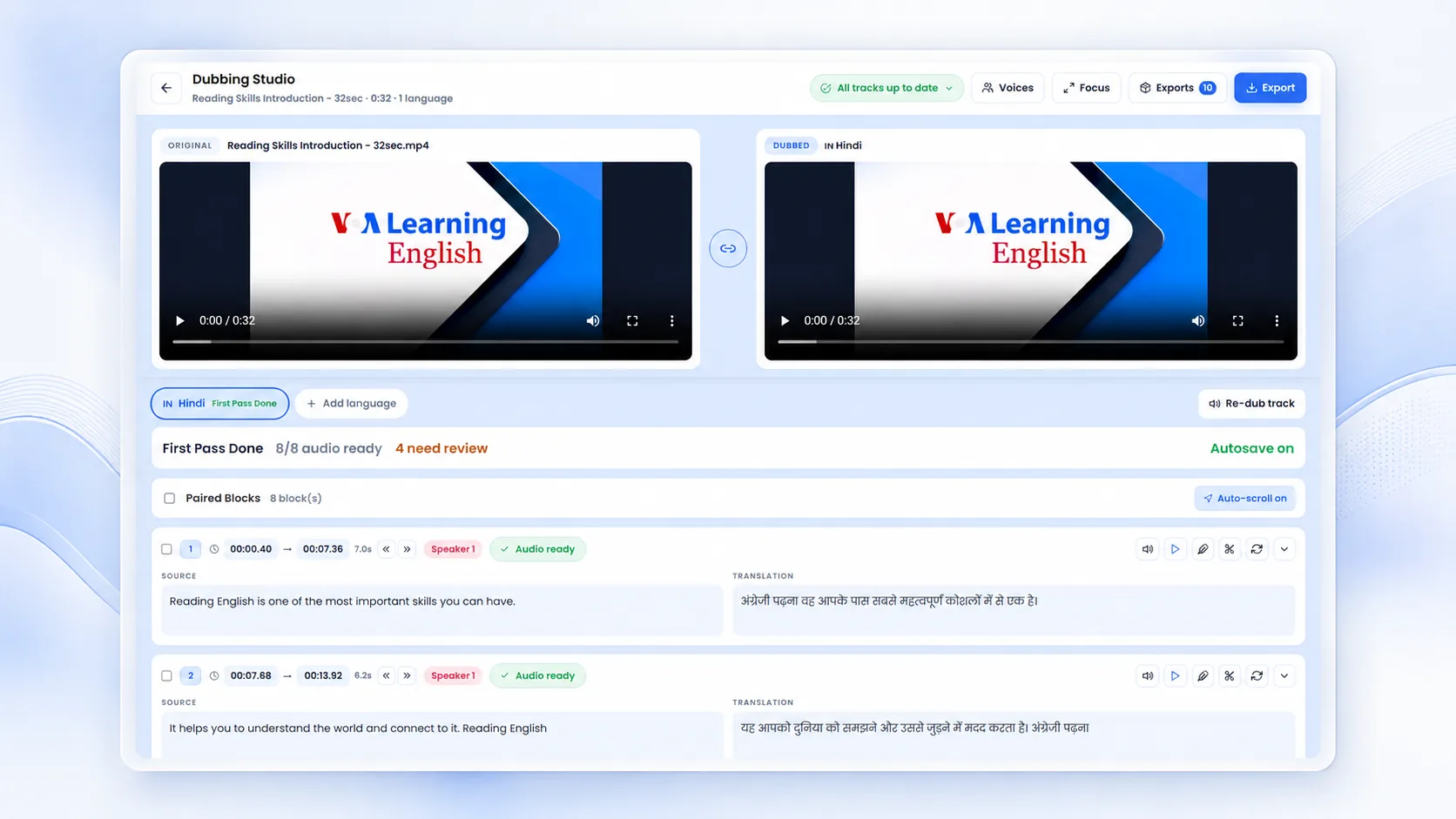
Translate and dub video into 100+ languages with context-aware AI voices and timing that follows the original.

Review and edit every segment — script, voice, and speed — before you export.

Ship the dub with translated subtitles and per-speaker voices in one pass.

MP3 audio MP4 video SRT & VTT Transcripts Slides to video
FAQ

Unmixr: Frequently Asked Questions

Have a question? Check out our frequently asked questions to find your answer.

What is Unmixr?

Unmixr is an AI voice studio for training videos, courses, and dubbing. Teams use it to turn scripts, slides, and recordings into narrated videos, course audio, subtitles, transcripts, and multilingual dubs — publish-ready outputs from one browser workspace, without studios or re-recording.

What can I create with Unmixr?

Narrated training videos from PowerPoint decks, consistent course narration, audiobooks and podcasts with multiple AI voices, accurate transcripts and subtitles, and dubbed versions of your videos in 100+ languages. Every project exports the formats you actually publish: MP3, MP4, SRT/VTT, and transcripts.

How is Unmixr different from ElevenLabs or Murf?

Voice generators hand you an audio file and stop. Unmixr wins on workflow and publishing output: the same script becomes a voiceover, captions, a narrated video, and a dubbed version — in one project. If you publish courses, training, or videos, the workflow matters more than any single voice model.

How many AI voices and languages does Unmixr have?

Unmixr covers 100+ languages and 155 accents with a voice for every use case — narrators, hosts, characters, multilingual voices that switch languages mid-script, and instruction-following voices. Voice cloning is supported in 80+ languages.

Can Unmixr turn PowerPoint slides into narrated videos?

Yes. Upload a deck and each slide becomes an editable scene with its own script and AI narration, automatically synced. Export the result as an MP4 with captions — ready for your LMS, YouTube, or intranet.

Can Unmixr dub my existing videos?

Yes. Upload a video and Unmixr transcribes it, lets you review the translation line by line, then generates natural AI-voiced dubbing in 100+ languages — exported together with translated subtitles.

Is Unmixr free to start?

Yes. Sign up without a credit card and use trial credits to test every studio — voiceover, video, transcription, and dubbing. Paid plans share one wallet of credits across everything you create.

Still have a question?

If you have a specific use case or need help configuring a custom workflow, our team is always here for you. We would love to listen to your needs!