
Master audio
The full read, mastered and ready to drop onto a timeline.
MP3192 kbpsMastered
AI text to speech is the easy part. This is the part where it becomes something you can hand to an editor.
Cast the voice, direct the read line by line, and take away master audio, timed captions, a transcript, and a narrated video. Re-takes are part of the project, so the fifth version costs no more than the first.
Type a line, cast a voice, and direct the read — before you make an account.
 Lyra (Studio)
 Miko (Studio)
 Draven (Studio)
 Elara (Studio)
 Zara (Studio)
 Nythera (Studio)
 Raxen (Studio)
 Corvian (Studio)
 Sona (Studio)
 Solan (Studio)
 Asha (Studio)
 Aven (Studio)
Speaks 100+ languages including English, Spanish, Hindi, Arabic, French
A voiceover is rarely one audio file. Everything below comes out of the same project, already in sync — nothing to rebuild in a second tool.
The full read, mastered and ready to drop onto a timeline.
Subtitles cut against the audio you actually exported, so nothing drifts out of sync.
The spoken text as delivered — for show notes, LMS records, accessibility, and search.
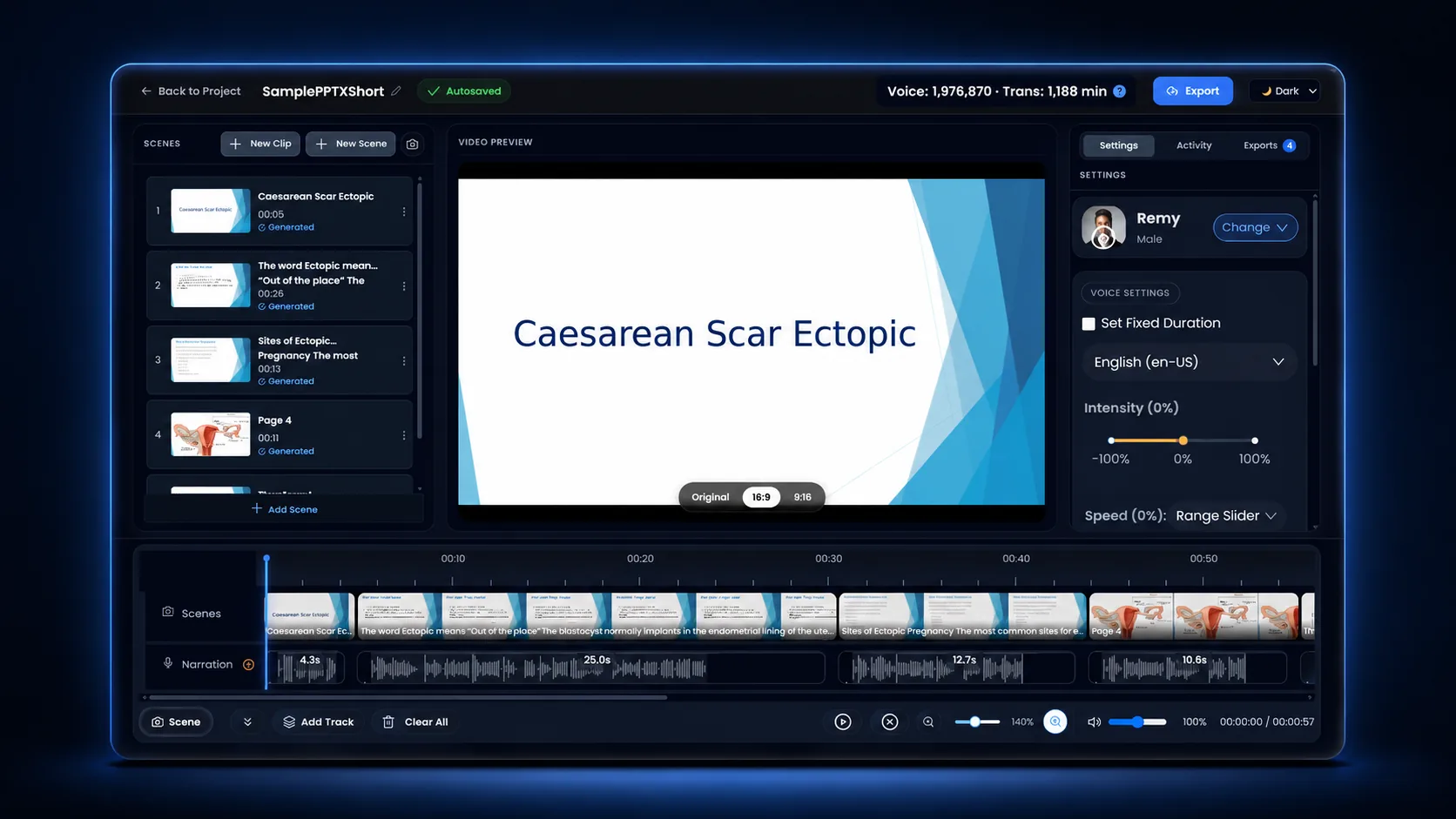
Pair the read with slides or footage and export the finished cut with captions burned in.
Play the output, inspect the exact script and direction, then open a ready-made draft in Studio.
Playful hook, energetic reveal, confident close.
Ever had a brilliant idea, then lost it somewhere between a voice note, six open tabs, and “I’ll remember that later”?

Meet Northstar: the workspace that catches the spark before it disappears.

Drop in the thought. Watch it become a plan. Then share the next move with everyone who needs it.

No digging. No guessing. No “Wait, which version?”

Just one clear path from maybe… to moving. Northstar. Turn scattered thinking into forward motion.
Direction: Open with playful curiosity, pause for the reveal, build momentum through the short action lines, then settle into an assured close.
Open this demo →Fast creator energy with a dry comic aside.
Your calendar called. It would like its personality back.

Because somewhere between meeting number four and the surprise fifth meeting, your actual work disappeared.

Orbit finds the focus time hiding in your week, protects it, and politely tells the chaos: not today.

Fewer tabs. Fewer pings. More finished.

Try Orbit and make Tuesday feel suspiciously manageable.
Direction: Start with mischief, treat meeting five as a dry aside, snap into brisk momentum, then smile through the unexpectedly manageable Tuesday.
Open this demo →Intimate narration with restrained cinematic tension.
The lighthouse had been dark for seventeen years. Still, every night, Mara climbed the spiral stairs with a box of matches in her coat.

“Habit,” she told the gulls. But they knew better.

At the top, she polished the cold glass and watched the horizon fade from silver to black.

Then, on the longest night of winter, something answered from beyond the fog.

One light. Then two.

Mara struck a match.
Direction: Narrate with fireside intimacy. Darken the horizon line, hold a full beat after the fog, and make the two lights hushed and wondrous.
Open this demo →The same order a booked session follows — except the session never closes, and coming back to it next month costs nothing.
Paste it, or import a PDF, Word file, ePub, text file, or public webpage. Break it into sections so a long read stays manageable.
A script the studio can work fromAudition candidates on your own words instead of a stock sample, then lock the one that fits — or use an approved clone of your own voice.
A voice chosen on real copySlow the safety warning down, lift the product name, hold a beat before the punchline, fix how the acronym is said. Direction lands per line, not per file.
A read that sounds intentionalExport audio, captions, transcript, and video together — then keep the project for the next version, the next language, or the next episode.
Everything the edit needsThe expensive part of voiceover was never the first take. It is the callback three weeks later when one sentence gets rewritten. Here that is an edit and a regenerate.
"Rinse the site with sterile saline before the dressing goes on."
"Apply the dressing within two minutes — not five."
"Record the time in the patient notes before you leave the room."
One line regenerated. The takes around it, the caption timings, and the export settings stay exactly as they were signed off.
Booking a performer is still the right call for hero brand films and character-led work. For the recurring, revision-heavy, multi-language content most teams actually ship, the maths changes.
| Booking a voice actor | Recording it yourself | Unmixr voiceover | |
|---|---|---|---|
| First delivery | Days, once casting and a session are scheduled | An afternoon, plus a quiet room and the retakes | Minutes, from the script you already have |
| Changing one sentence | A pickup session, usually with a minimum fee | Re-record and try to match the old room tone | Regenerate that line and nothing else |
| Sounding the same in six months | Depends on the performer still being available | Depends on your mic, your room, and your voice that day | Same voice and settings, saved with the project |
| Another language | Cast and book a second performer | Rarely an option | Dub the finished piece into 100+ languages |
| Captions and transcript | A separate tool or vendor | A separate tool or vendor | Exported alongside the audio, already timed |
| Best suited to | Hero brand films and character performance | One-off internal clips | Courses, explainers, promos, and anything you republish |
Each of these wants a different read. Direction is how you get there without booking a different performer for every brief.
Even pacing that survives being sped up, with the product name pronounced your way.
One script, several lengths — re-time the read for 30, 15, and 6 seconds in one project.
One narrator across every lesson, so an update never sounds like a different course.
Chapter-length reads with distinct character voices and pauses that let a scene land.
Recurring segments that stay on-brand week after week without re-booking anyone.
Hundreds of short, consistent lines — and a painless way to replace the ones that go stale.
Finish the voiceover once, then localize that same piece instead of producing it again.
Don't just take our word for it. See what top creators, educators, and enterprise teams are saying.
“The voice quality is truly exceptional, with fantastic flexibility. The results are realistic and captivating. This deal truly deserves full attention!”
“Definitely worth every dollar. Unmixr is a tool for everyday use, frequent updates and solid customer support. So far, it’s the best.”
“Unmixr AI acts like a Swiss Army knife for creators. From voiceovers to dubbing, the features are fantastic and the support is top-notch.”
“As a documentary filmmaker, Unmixr has transformed how I add voice to my stories. The voice blending and intensity controls are unbeatable.”
“I’ve tested a lot of transcription tools and nothing comes close to Unmixr. The accuracy is spot-on, even with background noise, and it processes files incredibly fast.”
“I’m thrilled with Unmixr. The voice realism, pause control, and ability to blend multiple voices make it perfect for education and narration.”
“Natural speech, accurate dubbing, and quick support — Unmixr has everything I need for fast, multilingual content creation.”
“I struggled to find the perfect, affordable voice tool until Unmixr. It’s been a game-changer for my documentary projects!”
“Unmixr is the best Elevenlabs alternative—human-sounding voices plus AI writing, dubbing, translation, image generation, and API access. My best investment in a while!”
“I was able to generate one hour of audio within less than a minute. Faster than ElevenLabs, and I upgraded to tier 4 immediately after I saw the value.”
“I’ve tried so many AI tools, but Unmixr is on a completely different level. The voices sound human, the interface is smooth, and the features save me hours every week.”
“Unmixr has become part of my daily workflow. Whether it’s creating voiceovers, dubbing, or transcription, it just works flawlessly. Worth every penny!”
“The voice quality is truly exceptional, with fantastic flexibility. The results are realistic and captivating. This deal truly deserves full attention!”
“Definitely worth every dollar. Unmixr is a tool for everyday use, frequent updates and solid customer support. So far, it’s the best.”
“Unmixr AI acts like a Swiss Army knife for creators. From voiceovers to dubbing, the features are fantastic and the support is top-notch.”
“As a documentary filmmaker, Unmixr has transformed how I add voice to my stories. The voice blending and intensity controls are unbeatable.”
“I’ve tested a lot of transcription tools and nothing comes close to Unmixr. The accuracy is spot-on, even with background noise, and it processes files incredibly fast.”
“I’m thrilled with Unmixr. The voice realism, pause control, and ability to blend multiple voices make it perfect for education and narration.”
“Natural speech, accurate dubbing, and quick support — Unmixr has everything I need for fast, multilingual content creation.”
“I struggled to find the perfect, affordable voice tool until Unmixr. It’s been a game-changer for my documentary projects!”
“Unmixr is the best Elevenlabs alternative—human-sounding voices plus AI writing, dubbing, translation, image generation, and API access. My best investment in a while!”
“I was able to generate one hour of audio within less than a minute. Faster than ElevenLabs, and I upgraded to tier 4 immediately after I saw the value.”
“I’ve tried so many AI tools, but Unmixr is on a completely different level. The voices sound human, the interface is smooth, and the features save me hours every week.”
“Unmixr has become part of my daily workflow. Whether it’s creating voiceovers, dubbing, or transcription, it just works flawlessly. Worth every penny!”
Each of these starts from a finished read rather than a blank timeline.
The voices, languages, and controls behind the read, explained end to end.
See text to speech →Clone an approved voice and keep one identity across everything you publish.
See voice cloning →Turn a deck or document into a captioned MP4 with the narration already synced.
See slides to video →Localize the finished voiceover or video without rebuilding the project.
See AI dubbing →Audition on your actual script, direct the lines that matter, and export the finished voiceover with captions and transcript attached.
If you have a specific use case or need help configuring a custom workflow, our team is always here for you. We would love to listen to your needs!