Creating high-quality audio and video content often feels like a juggling act. You have one tool for transcription, another for voiceovers, and yet another for editing the final mix. It’s fragmented, expensive, and time-consuming.
Enter Unmixr AI, an all-in-one platform designed to streamline your creative workflow. Whether you are producing promo videos, educational tutorials, storytelling content, or marketing assets, Unmixr brings together Text-to-Speech, Transcription, Dubbing, and a full Timeline Studio into a single, intuitive interface.
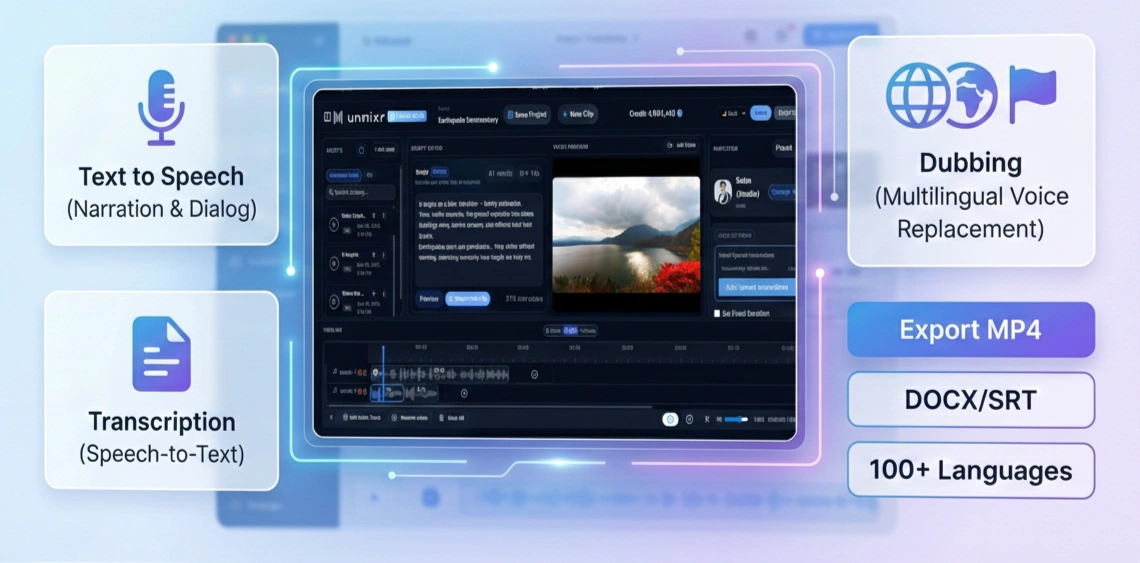
Here is everything you can do with Unmixr AI.
🎤 Text to Speech (Voiceover Generation)
At the heart of Unmixr is a powerful Text-to-Speech engine that turns any text into natural, studio-quality AI voiceovers. Gone are the days of robotic voices; Unmixr gives you full control over tone, emotion, pitch, and style, ensuring your audio sounds human and engaging.
Narration Studio
For creators working on long-form content, the Narration Studio is a game-changer.
- Best for: Tutorials, YouTube videos, explainers, and audiobooks.
- Key Capability: Generate paragraph-level or chapter-level audio with consistent quality.
- Workflow: Once generated, you can send your audio directly to the Timeline Studio for further editing with a single click.
Dialog Studio
Need to script a conversation? The Dialog Studio allows you to create multi-character scenes with ease.
- Best for: Skits, storytelling, training simulations, and marketing scripts.
- Key Capability: Assign unique voices, tones, and emotions to different characters within the same project.
- Flexibility: Export individual dialogue lines or the full mixed scene.
🎬 Timeline Studio (Beta)
Most AI tools force you to export your audio and move to a different video editor. Unmixr keeps you in the flow with the Timeline Studio—a visual, multi-track editor available in both Light and Dark themes to suit your workflow.
- Integrated Script-to-Audio: Write your script directly in the editor, select a voice (like "Solan Studio"), and generate clips instantly without leaving the timeline.
- Model Speech Instructions: Go beyond basic settings. Use the Inspector to give specific direction to the AI—such as "Documentary style" or "Urgent news"—to get the exact performance you need.
- Asset Management: Access your "Generated Audios" and "SFX" libraries right from the sidebar and drag them onto unlimited audio tracks.
- Visual Sync: Import a reference video into the Video Preview pane to perfectly align your voiceover waveforms with visual cues.
- Export: Render finished projects as MP4 videos or export audio stems directly.
📝 Transcription (Speech-to-Text)
Unmixr isn't just about generating audio; it’s also about understanding it. The Transcription feature allows you to upload any audio or video file for instant, accurate conversion to text.
- Smart Features: Includes automatic speaker labeling and sentence-level timestamps.
- Editable: The output is fully editable text, making corrections simple.
- Export Formats: TXT, DOCX, SRT, VTT.
- Use Cases: Perfect for generating captions, subtitles, documentation, and repurposing content for blogs or social media.
🌍 Dubbing (AI Multilingual Voice Replacement)
Reaching a global audience has never been easier. Unmixr’s Dubbing feature lets you translate and dub videos into 100+ languages without losing the original feel.
- Auto-Sync: The AI automatically syncs the generated voice to match the original timing of your video.
- Localization: Uses natural-sounding AI voices to ensure your content feels native to the target region.
- Ideal For: Global marketing campaigns, e-learning courses, YouTube localization, and product demos.
Ready to Unmix Your Workflow?
Unmixr AI replaces the chaos of multiple subscriptions with a clean, powerful, and integrated studio. Whether you are a solo creator or a marketing team, it provides the professional tools you need to sound your best in any language.