
Upload & transcribe
Drop in a video or audio file. Unmixr transcribes it with timestamps and separates each speaker, so the script arrives already segmented and ready to translate. Already have a subtitle file? Import it and skip straight ahead.
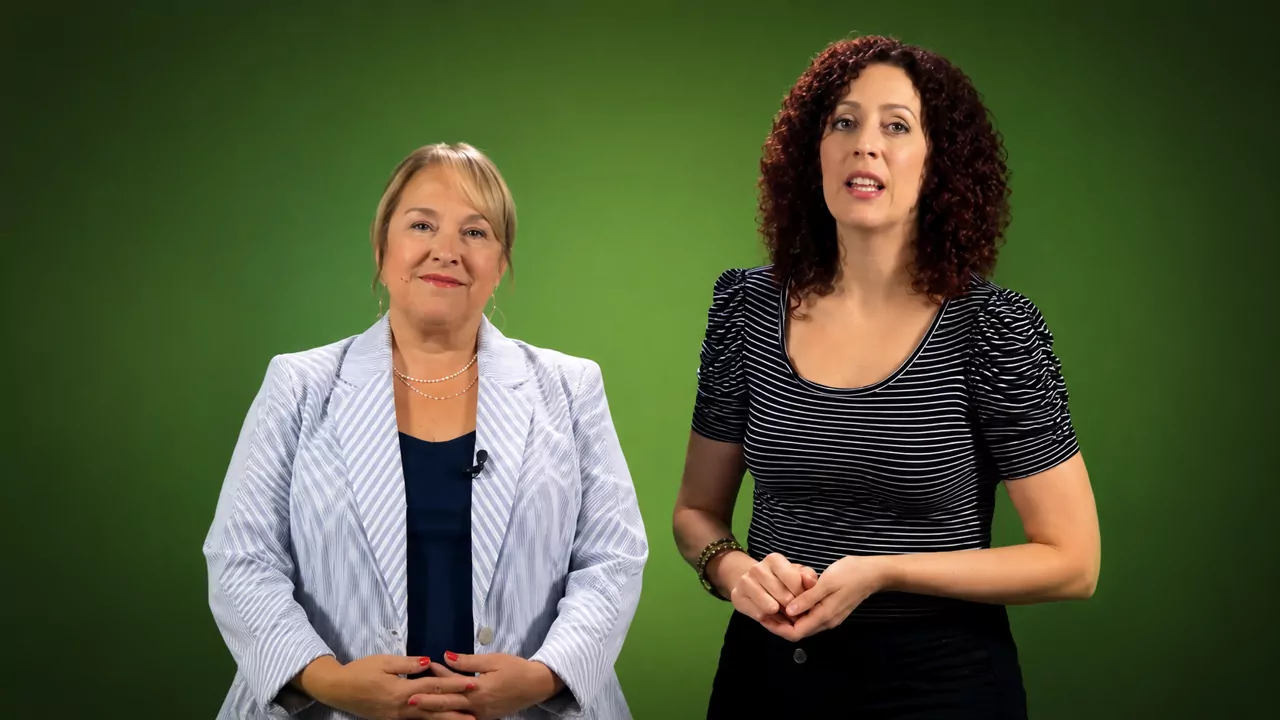
One source clip, one speaker, dubbed with Unmixr. Switch languages while it plays and judge the timing, tone, and pronunciation for yourself.
 English
Upload once. Unmixr transcribes the speech, translates the script, and voices it — with you approving the words before anything is spoken.
Drop in a video or audio file. Unmixr transcribes it with timestamps and separates each speaker, so the script arrives already segmented and ready to translate. Already have a subtitle file? Import it and skip straight ahead.
Translate into any of 100+ languages, then read every line before a word is voiced — fix terminology, split or merge segments, and assign the right voice to each speaker.
Generate the dub, fine-tune timing and speaking speed per segment, and regenerate only what changed. Export the dubbed video plus translated subtitles together.
Source and dub sit side by side. Play a line, change a word, swap a voice, nudge the timing — the whole localization pass happens in the browser, on one screen.
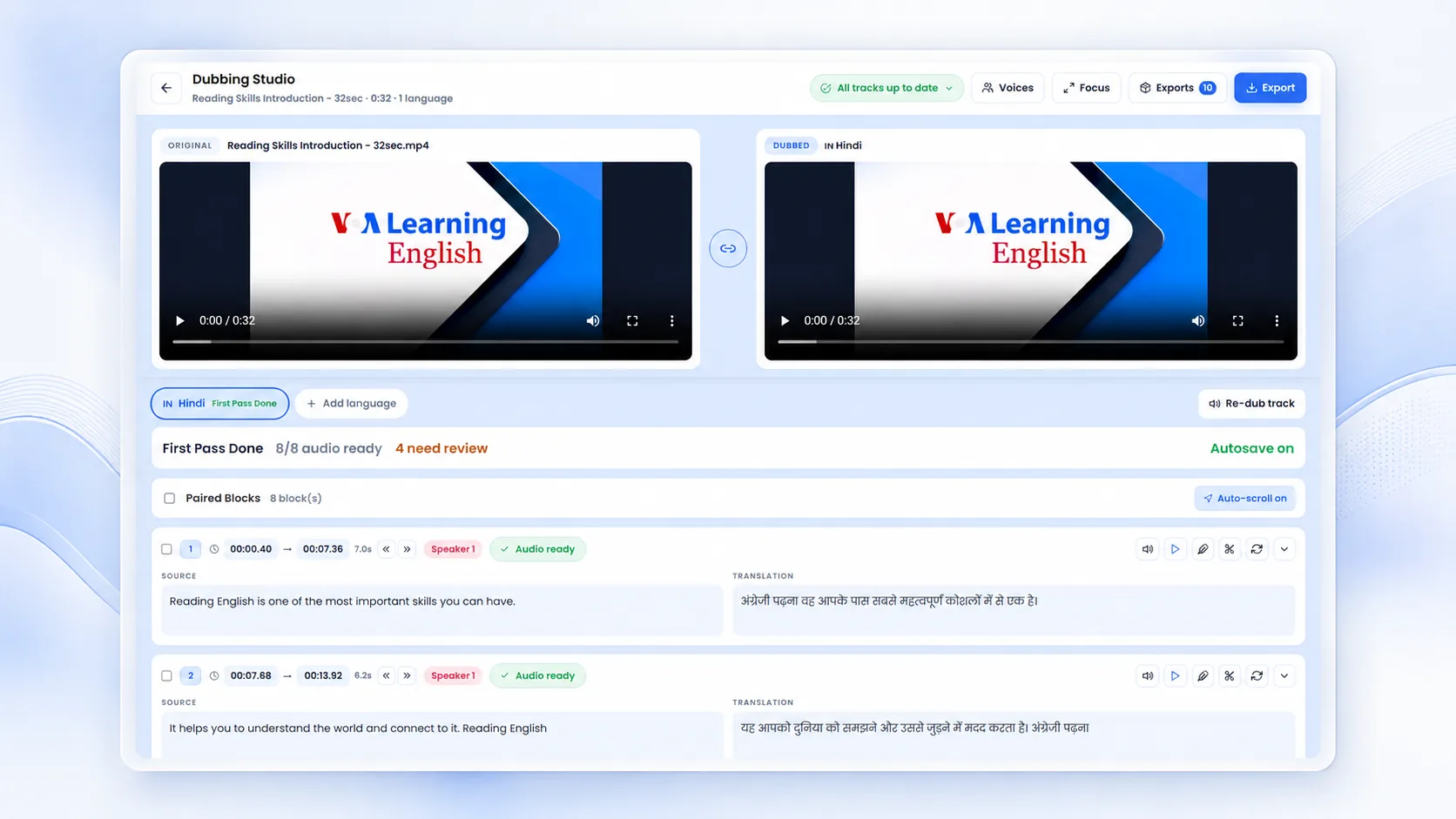
Translation you can correct, voices that match your speakers, and exports that ship — from the same project, in the same sitting.
A dub is your brand speaking a language you may not read. Unmixr keeps a human in the loop at the point where mistakes are still cheap to fix.
Teams use Unmixr dubbing to reach audiences they already have content for — without re-shooting, re-recording, or booking a studio per language.
Turn one master course into a localized library — dubbed audio plus translated subtitles for every region, without re-recording an instructor.
Localize a CourseRepublish your best-performing videos for new markets with natural-sounding dubs and matching subtitles in every language you publish in.
Start From a TranscriptShip the same announcement, policy update, or onboarding video to every office in its own language, on the same day.
Build Training VideosClone your voice once and your audience keeps hearing you — cloning is supported in 80+ languages, with your consent on record.
Explore Voice CloningTranslation, dubbing, and subtitles cover the same language list, so a video and its captions never end up in different places.
Plus many more — and multiple voices per language, so you can match gender and tone to each speaker on screen.
Don't just take our word for it. See what top creators, educators, and enterprise teams are saying.
“The voice quality is truly exceptional, with fantastic flexibility. The results are realistic and captivating. This deal truly deserves full attention!”
“Definitely worth every dollar. Unmixr is a tool for everyday use, frequent updates and solid customer support. So far, it’s the best.”
“Unmixr AI acts like a Swiss Army knife for creators. From voiceovers to dubbing, the features are fantastic and the support is top-notch.”
“As a documentary filmmaker, Unmixr has transformed how I add voice to my stories. The voice blending and intensity controls are unbeatable.”
“I’ve tested a lot of transcription tools and nothing comes close to Unmixr. The accuracy is spot-on, even with background noise, and it processes files incredibly fast.”
“I’m thrilled with Unmixr. The voice realism, pause control, and ability to blend multiple voices make it perfect for education and narration.”
“Natural speech, accurate dubbing, and quick support — Unmixr has everything I need for fast, multilingual content creation.”
“I struggled to find the perfect, affordable voice tool until Unmixr. It’s been a game-changer for my documentary projects!”
“Unmixr is the best Elevenlabs alternative—human-sounding voices plus AI writing, dubbing, translation, image generation, and API access. My best investment in a while!”
“I was able to generate one hour of audio within less than a minute. Faster than ElevenLabs, and I upgraded to tier 4 immediately after I saw the value.”
“I’ve tried so many AI tools, but Unmixr is on a completely different level. The voices sound human, the interface is smooth, and the features save me hours every week.”
“Unmixr has become part of my daily workflow. Whether it’s creating voiceovers, dubbing, or transcription, it just works flawlessly. Worth every penny!”
“The voice quality is truly exceptional, with fantastic flexibility. The results are realistic and captivating. This deal truly deserves full attention!”
“Definitely worth every dollar. Unmixr is a tool for everyday use, frequent updates and solid customer support. So far, it’s the best.”
“Unmixr AI acts like a Swiss Army knife for creators. From voiceovers to dubbing, the features are fantastic and the support is top-notch.”
“As a documentary filmmaker, Unmixr has transformed how I add voice to my stories. The voice blending and intensity controls are unbeatable.”
“I’ve tested a lot of transcription tools and nothing comes close to Unmixr. The accuracy is spot-on, even with background noise, and it processes files incredibly fast.”
“I’m thrilled with Unmixr. The voice realism, pause control, and ability to blend multiple voices make it perfect for education and narration.”
“Natural speech, accurate dubbing, and quick support — Unmixr has everything I need for fast, multilingual content creation.”
“I struggled to find the perfect, affordable voice tool until Unmixr. It’s been a game-changer for my documentary projects!”
“Unmixr is the best Elevenlabs alternative—human-sounding voices plus AI writing, dubbing, translation, image generation, and API access. My best investment in a while!”
“I was able to generate one hour of audio within less than a minute. Faster than ElevenLabs, and I upgraded to tier 4 immediately after I saw the value.”
“I’ve tried so many AI tools, but Unmixr is on a completely different level. The voices sound human, the interface is smooth, and the features save me hours every week.”
“Unmixr has become part of my daily workflow. Whether it’s creating voiceovers, dubbing, or transcription, it just works flawlessly. Worth every penny!”
Create a free account and dub a video end to end — transcribe, translate, review, and export with subtitles.
Start Dubbing for Free5,000 credits on signup · Plans from $9/month
If you have a specific use case or need help configuring a custom workflow, our team is always here for you. We would love to listen to your needs!