
AI text to speech
Text to Speech with Natural AI Voices
Try it free—then take the same script to captions, video, and dubbing.
Generate long-form, high-quality audio that sounds like a real human voice—perfect for podcasts, audiobooks, YouTube, TikTok, training, courses, and more.
- 100+ languages
- 150+ accents
- No credit card to start
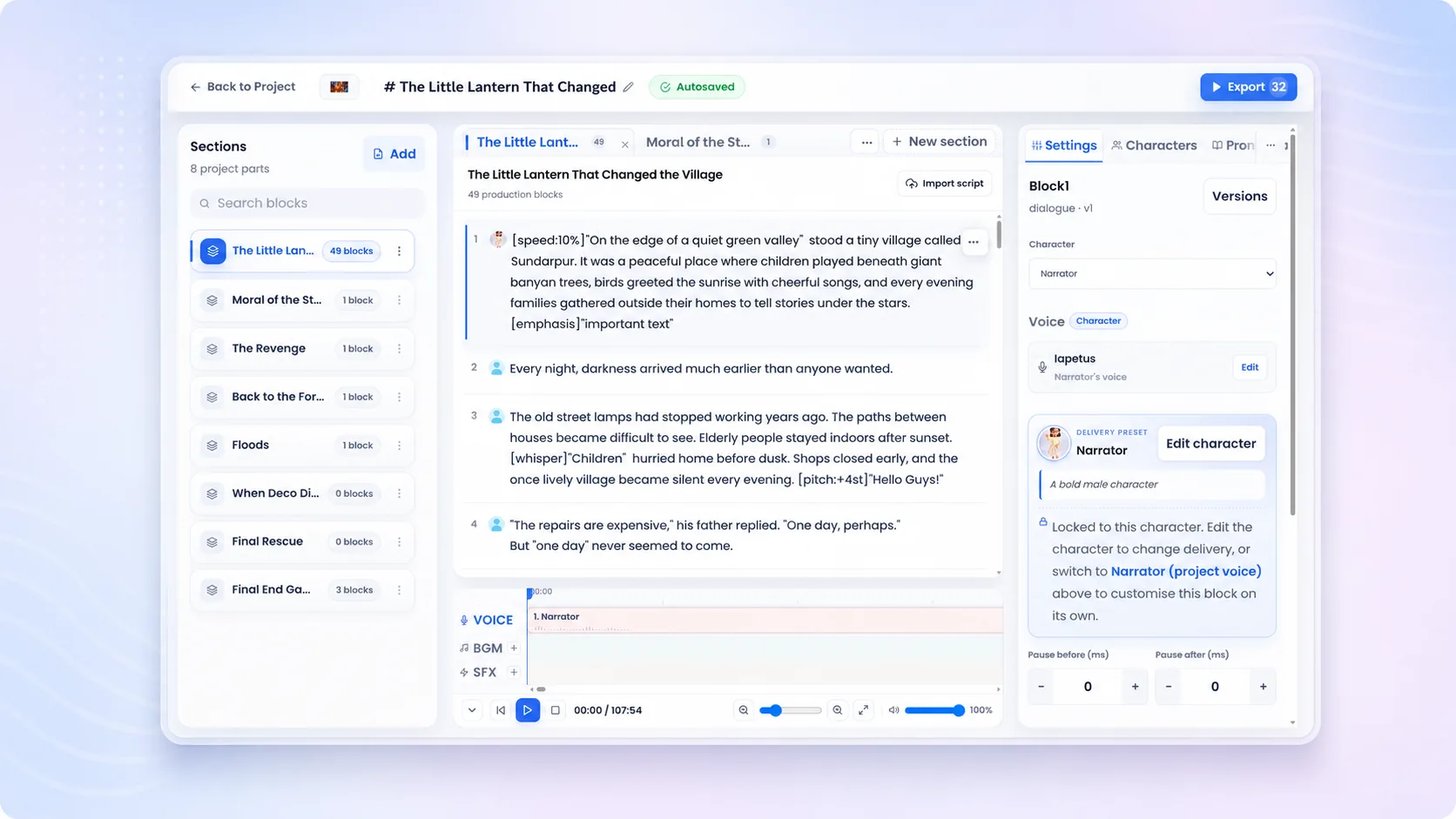
Try it free
Type a line and hear it in a Studio voice
No signup and no card — write your own sentence, direct how it should sound, and listen.
Voice
-
 Lyra (Studio)
-
 Miko (Studio)
-
 Draven (Studio)
-
 Elara (Studio)
-
 Zara (Studio)
-
 Nythera (Studio)
-
 Raxen (Studio)
-
 Corvian (Studio)
-
 Sona (Studio)
-
 Solan (Studio)
-
 Asha (Studio)
-
 Aven (Studio)
Speaks 100+ languages including English, Spanish, Hindi, Arabic, French
AfrikaansAlbanianAmharicArabicArmenianAzerbaijaniBanglaBasqueBelarusianBulgarianBurmeseCatalanCebuanoCroatianCzechDanishDutchEnglishEstonianFilipinoFinnishFrenchGalicianGeorgianGermanGreekGujaratiHaitian CreoleHebrewHindiHungarianIcelandicIndonesianItalianJapaneseJavaneseKannadaKonkaniKoreanLao - LaosLatinLatvianLithuanianLuxembourgishMacedonianMaithiliMalagasyMalayMalayalamMandarin ChineseMarathiMongolianNepaliNorwegian BokmålNorwegian NynorskOdiaPashtoPersianPolishPortuguesePunjabiRomanianRussianSerbianSindhiSinhalaSlovakSlovenianSpanishSwahiliSwedishTamilTeluguThaiTurkishUkrainianUrduVietnamese
100 left
Fine-tune speed & volume
Create your own — free
Your script and voice come with you.
Don't read our claims. Hear the difference.
Compare multilingual speech, a consent-first voice clone, eLearning and training scenarios, and real production styles directed for the job. Every demo below is generated audio with the script visible beside it—headphones recommended.
- Original generated audio
- Scripts included
- No sign-up to listen
Multilingual AI voices
One voice. Every language. Same narrator.
Hear Sia carry the same warm, assured delivery from English to Spanish, French, Hindi, Arabic, and Japanese—six of the 100+ languages available. Each sample was generated by Unmixr from carefully localized copy.
100+
languages
Can AI text to speech keep one narrator consistent across languages? Yes—multilingual voice models can preserve a recognizable vocal character while speaking localized scripts.
Sia
Localized narration
Same voice
English
Meet your audience where they are. Unmixr turns one idea into a natural voice experience for every market, language, and moment.
Unmixr AI Voice
Sia
Localized narration
Same voice
Spanish
Conecta con tu audiencia dondequiera que esté. Unmixr transforma una idea en una experiencia de voz natural para cada mercado, idioma y momento.
Unmixr AI Voice
Sia
Localized narration
Same voice
French
Rejoignez votre public là où il se trouve. Unmixr transforme une idée en une expérience vocale naturelle, pour chaque marché, chaque langue et chaque moment.
Unmixr AI Voice
Sia
Localized narration
Same voice
Hindi
अपने दर्शकों से उनकी अपनी भाषा में जुड़िए। Unmixr एक विचार को हर बाज़ार, हर भाषा और हर अवसर के लिए स्वाभाविक आवाज़ में बदल देता है।
Unmixr AI Voice
Sia
Localized narration
Same voice
Arabic
تواصل مع جمهورك أينما كان. يحوّل Unmixr فكرتك إلى تجربة صوتية طبيعية تناسب كل سوق، وكل لغة، وكل لحظة.
Unmixr AI Voice
Sia
Localized narration
Same voice
Japanese
世界中のオーディエンスに、その人の言葉で届けましょう。Unmixr なら、ひとつのアイデアを、あらゆる市場、言語、瞬間に合う自然な音声体験へ変えられます。
Unmixr AI Voice
Multilingual voice cloning
The original voice—then the clone goes global.
Start with Nera's original reference recording, then compare the Unmixr voice clone in English, Spanish, French, Hindi, and Japanese. The language changes; the vocal identity stays familiar.
1 to 80+
languages from one reference
How does multilingual voice cloning sound? A consented reference recording captures the speaker's vocal identity, then the model can synthesize new, translated scripts in that voice.
Nera
Source recording
Original
Original reference
The original reference recording used to capture Nera's voice identity.
Unmixr Voice Clone
Nera
Same cloned identity
Cloned
English
This is Nera. One short recording, and now my voice can tell the same story anywhere in the world.
Unmixr Voice Clone
Nera
Same cloned identity
Cloned
Spanish
Soy Nera. Con una breve grabación, ahora mi voz puede contar la misma historia en cualquier lugar del mundo.
Unmixr Voice Clone
Nera
Same cloned identity
Cloned
French
Je suis Nera. Grâce à un court enregistrement, ma voix peut désormais raconter la même histoire partout dans le monde.
Unmixr Voice Clone
Nera
Same cloned identity
Cloned
Hindi
मैं नेरा हूँ। सिर्फ़ एक छोटी रिकॉर्डिंग से, अब मेरी आवाज़ दुनिया में कहीं भी यही कहानी सुना सकती है।
Unmixr Voice Clone
Nera
Same cloned identity
Cloned
Japanese
ネラです。短い録音ひとつで、私の声が世界中どこでも同じ物語を語れるようになりました。
Unmixr Voice Clone
eLearning & training examples
Training people actually want to finish.
Hear six instructor-ready performances for cybersecurity, software onboarding, workplace safety, sales coaching, clinical refreshers, and customer-service role-play.
How can AI voices improve eLearning? A clear, consistent narrator makes training easier to follow, faster to update, and simpler to localize across courses, teams, and languages.
Milo
Security instructor
Training
Cybersecurity essentials
A strong password is long, unique, and difficult to predict. Use a password manager to create one for every account, then turn on multi-factor authentication for an extra layer of protection.
Unmixr AI Voice
Kay
Product trainer
Training
Software onboarding
To assign a task, open the project board, choose a teammate, and set the due date. Add a priority label so everyone can see what needs attention first.
Unmixr AI Voice
Nia
Safety instructor
Training
Workplace safety
Before entering the production floor, secure loose clothing, wear your eye protection, and confirm the emergency stop is visible. If a guard is missing, do not start the machine.
Unmixr AI Voice
Nico
Sales coach
Training
Sales coaching
When a buyer says the timing isn't right, don't rush to defend the offer. Ask, what would need to change for this to become a priority? Then listen for the real obstacle.
Unmixr AI Voice
Sia
Clinical educator
Training
Clinical refresher
Before administering medication, pause for the five rights: the right patient, medication, dose, route, and time. Document the check immediately and escalate anything that does not match.
Unmixr AI Voice
Zoe
CX coach
Training
Service role-play
Start by acknowledging the customer's frustration. Try: I can see why that delay was disappointing. Let me check the order now and give you a clear next step.
Unmixr AI Voice
Real-world voice examples
From first listen to final publish.
Six of the jobs teams hand to Unmixr every week, each directed for the job—not generic voice samples. Compare pacing, emotion, clarity, and intent, then point the same controls at whatever you publish.
What can an AI voice generator create? Common uses include podcasts, audiobooks, product ads, news briefs, game characters, and natural customer-support experiences—anything you can write a script for.
Nico
Podcast host
Directed
Podcast opener
You're listening to Signal and Story, the show where ambitious ideas become practical moves. Today, we're decoding the one habit quietly changing how great teams work.
Unmixr AI Voice
Luz
Storyteller
Directed
Audiobook narration
At the edge of the sleeping city, the lighthouse blinked once. Mara closed her map, stepped into the salt wind, and followed the only road that wasn't there yesterday.
Unmixr AI Voice
Luna
Brand voice
Directed
Product commercial
Meet Northstar Notes: your thoughts, organized before inspiration moves on. Capture, connect, and create at the speed of an idea. Northstar Notes. Keep momentum.
Unmixr AI Voice
Rafi
News anchor
Directed
News briefing
Here is your morning business brief. Independent retailers are investing in faster delivery, simpler checkout, and more personal service as customer expectations continue to rise.
Unmixr AI Voice
Leo
Trailer voice
Directed
Game trailer
The gates are broken. The last city is calling, and every shadow knows your name. Gather your crew, ignite the sky, and rise in Echoes of the Rift.
Unmixr AI Voice
Nia
Care specialist
Directed
Customer support
I've found the charge, and you're all set. Your refund is already on its way and should appear within three business days. I'll email the confirmation now, so you have everything in one place.
Unmixr AI Voice
eLearning & training
Upload the deck. Publish the course.
A real clinical training deck, dropped into Unmixr and published as a narrated video lesson — no recording booth, no editing timeline, no re-record when the slides change.
Input
PowerPoint deck
4 of 36 slides
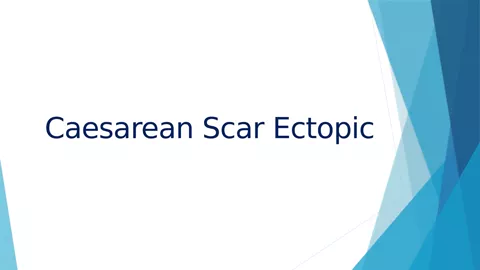
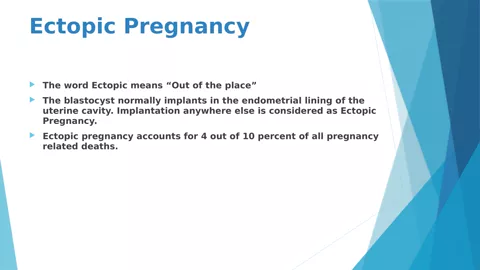
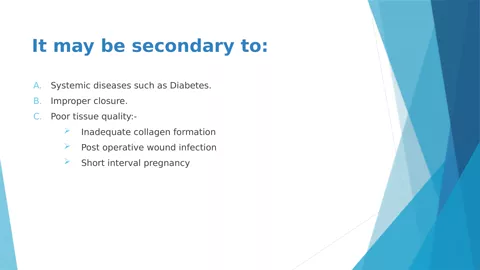
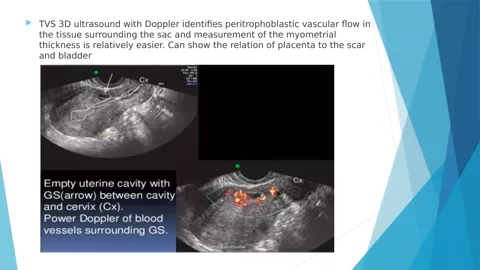
Caesarean_Scar_Ectopic_Training.pptx
1.7 MB · the untouched source file
Download the deck
Output
Narrated training video
MP4 · 720p
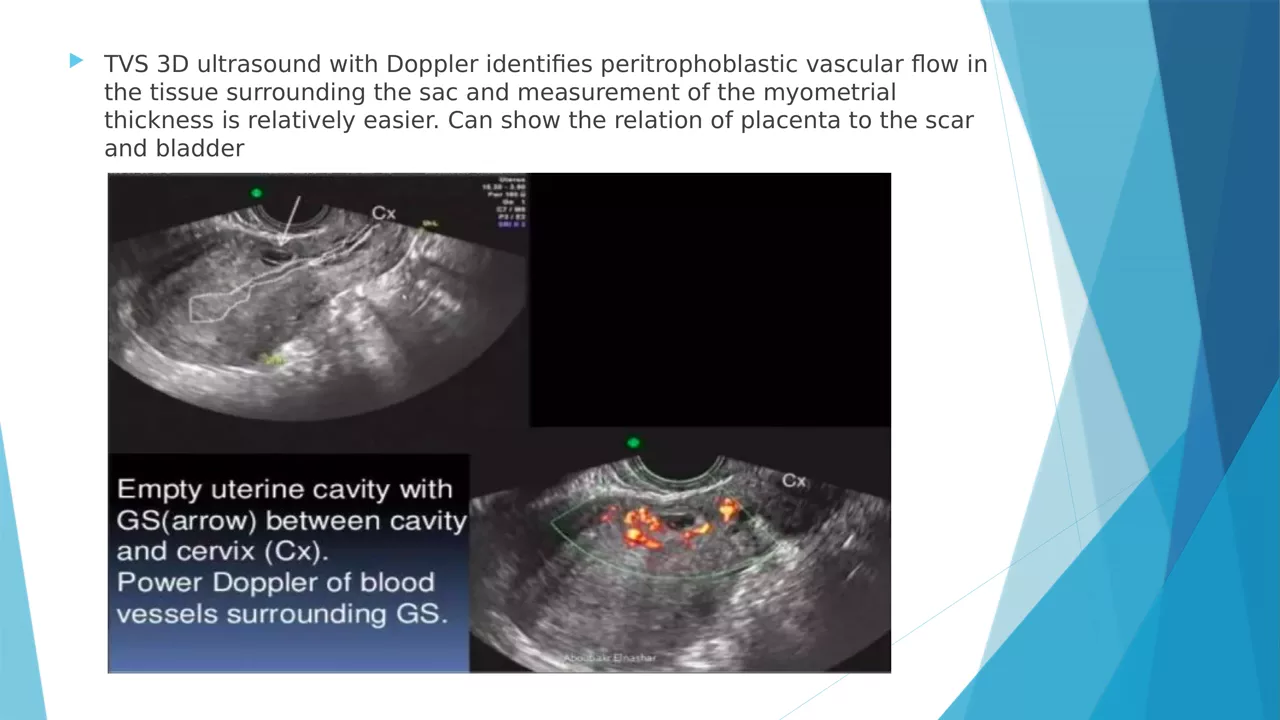
17:53
AI narration
Narrated end to end with an Unmixr AI voice
Every line stayed editable before export
Start from slides PPTXPPTPDF
Or from a document PDFDOCXEPUBTXTMarkdownHTML
1 Your source becomes the script
Upload a deck or a document — Unmixr reads it and drafts narration section by section. Rewrite any line before a word is voiced.
2 Pick the teaching voice
A voice for every use case, with pitch, speed, and emphasis you can tune per sentence or per term.
3 Captions and transcript
SRT and VTT subtitles plus a full transcript come out of the same project — ready for your LMS.
4 Localize the course
Dub the finished lesson into 100+ languages without rebuilding a single slide.
Convert text to natural speech in three steps.
Start with your script, direct the delivery, and keep the entire publishing workflow in one browser-based AI voice studio.
Choose a natural AI voice
Cast a narrator, host, character, multilingual voice, or an approved cloned voice for the language and use case.
Voice, language, and delivery fitAdd or import your script
Paste text or import PDF, Word, ePub, text files, and public webpages. Use one voice or assign multiple speakers to dialogue.
Short reads or long-form projectsDirect, generate, and publish
Control pacing, emotion, pauses, pronunciation, pitch, and volume. Preview, revise, then export audio or continue to captions, video, and dubbing.
A publish-ready voice workflowEverything a serious text to speech project needs.
Unmixr combines realistic AI voices with the controls and project structure needed for long-form narration, multi-speaker dialogue, repeatable brand delivery, and fast updates.
Multilingual voices without rebuilding the project
Create natural speech in 100+ languages and 150+ regional accents. Multilingual voices can detect and switch languages inside the same script.
Long-form audio
Create up to 200,000 characters—approximately 3.5 hours—in one request.
Dialogue and multiple speakers
Assign voices by character and rearrange lines for interviews, stories, and scripts.
Consent-first voice cloning
Keep an approved voice identity consistent across scripts and multiple languages.
Reusable delivery presets
Save voice, speed, pitch, volume, and pronunciation choices for consistent branding.
Subtitles and transcripts
Generate editable captions from the same narration project and keep timing aligned.
Merge and organize audio
Reorder blocks, add silence, merge takes, and manage large productions as projects.
Human-like emotion, style, and fine-tuning
Direct cheerful, calm, serious, narrative, conversational, newscast, and other delivery styles. Adjust intensity, pacing, emphasis, breathing, and pronunciation inline.
One script. One workspace.
More than an audio file at the end.
A basic TTS generator stops after speech synthesis. Unmixr keeps the script, voice direction, characters, pronunciations, versions, captions, and export settings together—so the project is easy to update and ready for the next publishing format.
- Regenerate one line without recording the whole script again
- Keep characters and delivery settings consistent across a series
- Export mastered MP3, captions, transcripts, and narrated video
The same script keeps moving until it is publish-ready.
Convert text to speech online, then reuse the narration instead of rebuilding your content in separate tools.
Publish-ready voiceovers
Voiceover, captions, transcript, and export settings from one script.
Explore AI voiceover →Slides to narrated video
Turn a PowerPoint into a captioned MP4 with synchronized narration.
Explore PowerPoint to Video →Course narration
Keep one consistent narrator across lessons, modules, and curriculum updates.
Explore course narration →Multilingual dubbing
Localize the finished audio or video into 100+ languages.
Explore AI dubbing →Natural AI speech shaped for the job.
The script is only half the performance. Use context-aware direction to match the pace, emotion, clarity, and intent of the format your audience expects.
Conversational hosts and cold opens
Natural timing, energy, and personality for intros, explainers, and recurring shows.
Long-form storytelling that holds attention
Consistent narration across chapters with character changes and precise pacing.
YouTube, TikTok, and product narration
Clear, concise delivery for explainers, social video, product films, and tutorials.
Training and courses learners can follow
Patient, accurate instruction for onboarding, compliance, sales, and clinical content.
Commercials, promos, and brand campaigns
Directed emphasis and confident delivery built around the message and call to action.
Helpful customer experiences at scale
Warm, composed speech for product guidance, support flows, and service simulations.
Direct the delivery
Make the voice sound intentional—not default.
Fine-tune how a line is spoken without scheduling another recording session. Save the configuration as a preset when the delivery needs to stay consistent.
Speaking rate
Pitch
Volume
Emphasis
Pauses
Breathing
Pronunciation
Whispering
Conversational
Narrative
Newscast
Commercial
Text to speech in your language
Each page below has its own demos, written natively in that language rather than translated from English. Play them and read along with the script.
- Español Spanish text to speech
- हिन्दी Hindi text to speech
- Português Portuguese text to speech
- Português do Brasil Brazilian Portuguese text to speech
- Français French text to speech
- Deutsch German text to speech
- العربية Arabic text to speech
- 中文 Chinese text to speech
- 日本語 Japanese text to speech
- Tiếng Việt Vietnamese text to speech
- বাংলা Bangla text to speech
Looking for a voice for a specific job instead? Browse voices by use case — podcasts, audiobooks, courses, explainers, ads and characters.
Every language Unmixr speaks
Voices in 100+ languages and 150+ regional accents. Here is the list, so you never have to guess whether yours is covered — the 11 names in blue have their own demo page, and every other language is a dropdown away once you are in the studio.
- Afrikaans
- Albanian
- Amharic
- Arabic
- Armenian
- Assamese
- Azerbaijani
- Bangla
- Basque
- Belarusian
- Bosnian
- Bulgarian
- Burmese
- Cantonese
- Catalan
- Cebuano
- Chinese
- Croatian
- Czech
- Danish
- Dutch
- English
- Estonian
- Filipino
- Finnish
- French
- Galician
- Georgian
- German
- Greek
- Gujarati
- Haitian Creole
- Hebrew
- Hindi
- Hungarian
- Icelandic
- Indonesian
- Irish
- Italian
- Japanese
- Javanese
- Kannada
- Kazakh
- Khmer
- Konkani
- Korean
- Lao
- Latin
- Latvian
- Lithuanian
- Luxembourgish
- Macedonian
- Maithili
- Malagasy
- Malay
- Malayalam
- Maltese
- Maori
- Marathi
- Min Nan Chinese
- Mongolian
- Nepali
- Norwegian
- Odia
- Pashto
- Persian
- Polish
- Portuguese
- Punjabi
- Romanian
- Russian
- Serbian
- Sindhi
- Sinhala
- Slovak
- Slovenian
- Somali
- Spanish
- Sundanese
- Swahili
- Swedish
- Tamil
- Telugu
- Thai
- Turkish
- Ukrainian
- Urdu
- Uzbek
- Vietnamese
- Welsh
- Wu Chinese
- Zulu
Where you also get a choice of accent
These languages carry regional variants, so a Mexican script does not have to be read in a Castilian accent.
- Arabic Algeria · Arabian Peninsula · Bahrain · Egypt · Iraq · Jordan · Kuwait · Lebanon · Libya · Morocco · Oman · Qatar · Saudi Arabia · Syria · Tunisia · United Arab Emirates
- Bangla Bangladesh · India
- Chinese Anhui, China · China · Gansu, China · Guangxi, China · Henan, China · Hong Kong · Hunan, China · Liaoning, China · Shaanxi, China · Shandong, China · Shanxi, China · Sichuan, China · Taiwan
- Dutch Belgium · Netherlands
- English Australia · Canada · Hong Kong · India · Ireland · Kenya · New Zealand · Nigeria · Philippines · Singapore · South Africa · Tanzania · United Kingdom · United States
- French Belgium · Canada · France · Switzerland
- German Austria · Germany · Switzerland
- Portuguese Brazil · Portugal
- Spanish Argentina · Bolivia · Chile · Colombia · Costa Rica · Cuba · Dominican Republic · Ecuador · El Salvador · Guatemala · Honduras · Mexico · Nicaragua · Panama · Paraguay · Peru · Puerto Rico · Spain · United States · Uruguay · Venezuela
- Urdu India · Pakistan
Subtitles and document translation cover the same ground, so a project can be voiced, captioned and dubbed without leaving it. See document translation.
Start with the script you already have
Convert text to speech free
Turn text into speech—and keep creating from there.
Generate a natural AI voiceover, direct every important line, and move the same project into captions, video, training content, or multilingual dubbing.
Still have a question?
If you have a specific use case or need help configuring a custom workflow, our team is always here for you. We would love to listen to your needs!